
You’ve decided digital locks make sense for your Houston home or business. You’ve researched options online and chosen a specific model that fits your needs and budget. Now you face the critical question that determines whether your investment delivers the security and convenience you expect: should you install the digital lock yourself or hire professional installation?
The manufacturer’s website shows a cheerful video where installation looks straightforward and quick. Online reviews mention some users installing locks themselves in under an hour. DIY installation would save the $150-$250 professional installation fee. You’re reasonably handy and have successfully completed other home improvement projects.
But you also read reviews from people whose DIY installations failed. Misaligned locks that drain batteries rapidly. Connectivity problems that took weeks to troubleshoot. Damaged doors from incorrect drilling. Some reviewers ended up calling professionals anyway, paying both for the lock and emergency correction of installation mistakes. The decision feels more consequential than it initially appeared.
Here’s what makes digital lock installation decisions complicated: some installations genuinely are DIY-friendly for people with appropriate skills and tools, while others involve complexities that aren’t obvious until you’re committed to the project. Your door’s condition, the specific lock model you chose, your technical comfort level, and Houston’s climate all affect installation difficulty and long-term performance. The right installation approach protects your investment while the wrong approach creates ongoing problems.
This guide explains everything Houston homeowners and business owners need to know about digital lock installation, covers different digital lock types and their installation requirements, details the complete professional installation process, helps you evaluate whether DIY makes sense for your situation, and provides expert guidance from experienced residential locksmith services throughout the Houston area.
Understanding Digital Lock Technology
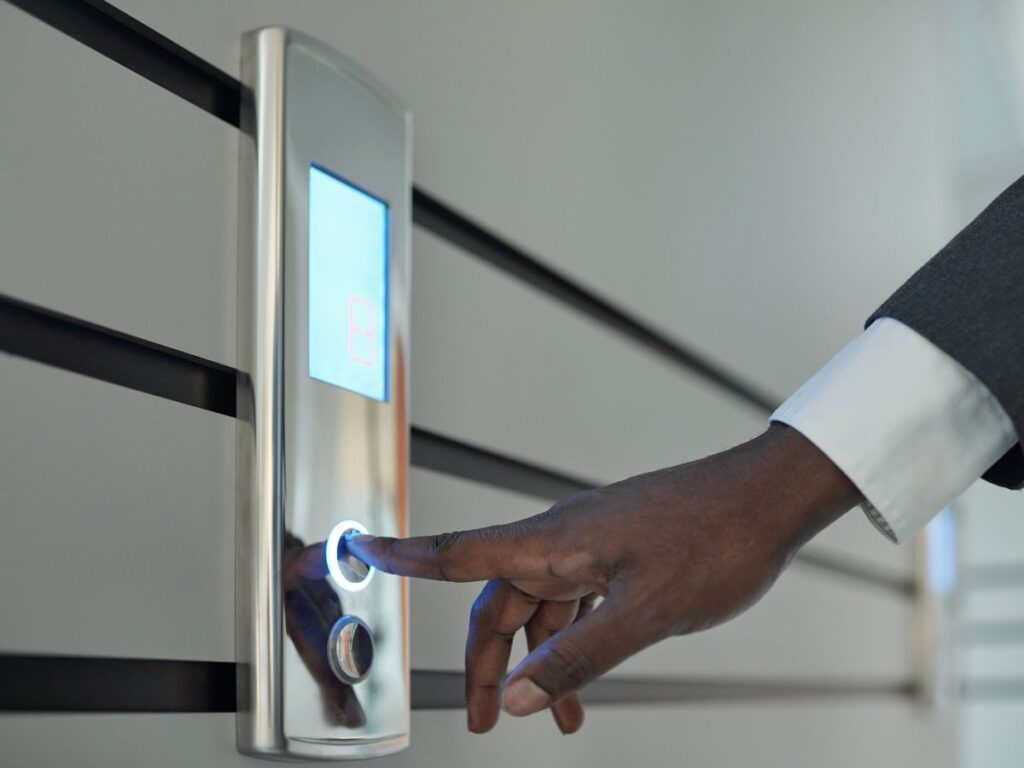
Before addressing installation specifics, establish clear understanding of what digital locks are, how they differ from traditional locks, and what installation requirements each type presents.
What Defines Digital Locks
Digital locks use electronic components and mechanisms to control access rather than relying solely on mechanical key-and-tumbler systems. The fundamental distinction is electronic authentication replacing or supplementing physical keys. You gain access through entering PIN codes, using smartphone apps, scanning fingerprints, or presenting RFID credentials rather than inserting and turning metal keys.
Electronic components drive the lock mechanism. Motors extend and retract deadbolts electronically rather than through manual key turning. Circuit boards process authentication credentials and control motors. Wireless communication modules connect locks to smartphones or home networks. These electronic systems require electrical power, typically from batteries but sometimes from hardwired connections.
Most digital locks retain mechanical backup access for emergencies. Hidden keyholes accept traditional keys if batteries die or electronics fail. This redundancy prevents complete lockouts from electronic failures but means digital locks still have mechanical vulnerabilities that traditional locks face. The mechanical backup provides essential reliability while electronic features add convenience and security.
Authentication security comes from encrypted credentials rather than physical key control. Strong encryption protects wireless communications between locks and phones. Unique authentication codes verify authorized users. This electronic security layer adds protection beyond mechanical barriers, though it also introduces different vulnerabilities requiring different security considerations.
The integration with broader smart home systems distinguishes advanced digital locks from basic electronic locks. Premium models connect with Amazon Alexa, Google Assistant, Apple HomeKit, or Samsung SmartThings enabling voice control and automation. These integrations transform locks from isolated security devices into components of intelligent home environments. Professional installation ensures proper configuration of these advanced features.
Major Digital Lock Categories
Digital locks span several distinct technology categories, each presenting different installation requirements and complexity levels.
Keypad digital locks represent the simplest electronic lock type, using number pads for PIN code entry. These locks typically run on batteries installed inside the door, require no wireless connectivity beyond the keypad itself, and install similarly to traditional deadbolts. The straightforward technology makes keypad locks the most DIY-friendly digital lock category for competent homeowners with appropriate tools.
Smart locks with smartphone connectivity add wireless communication to basic electronic lock functions. Bluetooth models connect directly to phones within 30-40 feet requiring no internet connection. WiFi models connect through home networks allowing remote access from anywhere. The wireless components require additional configuration beyond physical installation, introducing technical complexity that frustrates some DIYers.
Biometric digital locks use fingerprint scanning or facial recognition for authentication. These require precise positioning during installation ensuring comfortable finger placement and reliable scanning angles. The sensors are sensitive to installation quality with misalignment causing recognition failures. Biometric locks often combine fingerprint authentication with backup PIN keypads providing redundant access methods.
RFID credential locks use key fobs or cards for tap-to-unlock access. These systems are more common in commercial applications but residential versions exist. Installation is mechanically similar to other digital locks but the credential management system requires setup and programming. Multiple credentials can be issued, deleted, or managed through administrative interfaces.
Combination systems integrate multiple authentication methods in single locks. A lock might combine fingerprint scanning, PIN keypad entry, smartphone app access, and mechanical backup keys. These versatile systems provide maximum flexibility but also maximum installation and configuration complexity. Professional locksmith installation ensures all authentication methods work properly from day one.
Power and Connectivity Requirements
Understanding power and network requirements helps anticipate installation challenges and ongoing maintenance needs.
Battery-powered digital locks dominate the residential market because they install without electrical wiring. Four AA or AAA batteries typically power locks for 6-12 months depending on usage and features. Battery replacement is straightforward but represents ongoing maintenance traditional locks don’t require. Low battery warnings provide weeks of advance notice preventing unexpected lockouts.
Hardwired digital locks connect to household electrical systems providing continuous power without battery changes. These require electrical wiring installation that exceeds typical DIY capabilities and often requires licensed electrician involvement. Hardwired locks usually include backup batteries maintaining operation during power outages. The permanent power eliminates battery maintenance but complicates installation significantly.
Wireless connectivity options affect both installation complexity and ongoing functionality. Bluetooth-only locks pair directly with smartphones requiring no home network configuration. WiFi locks need access to your wireless network requiring network password entry and configuration. Z-Wave and Zigbee locks require compatible smart home hubs. Understanding your lock’s connectivity requirements before installation prevents post-installation frustration.
Network signal strength at door locations affects WiFi-enabled locks significantly. Weak WiFi signals at entry doors cause connectivity problems and increased battery drain as locks boost transmission power. Testing signal strength before installation helps identify whether WiFi extenders or mesh network systems are needed. Poor connectivity creates ongoing frustration outweighing digital lock benefits.
Houston’s climate creates specific power and connectivity considerations. High humidity affects electronic components requiring weather-resistant construction. Extreme summer heat on sun-exposed doors can affect battery life and electronic performance. Direct afternoon sun exposure creates conditions requiring locks specifically rated for outdoor high-temperature operation. Experienced Houston locksmiths understand local climate challenges and recommend appropriate products.
The Complete Digital Lock Installation Process
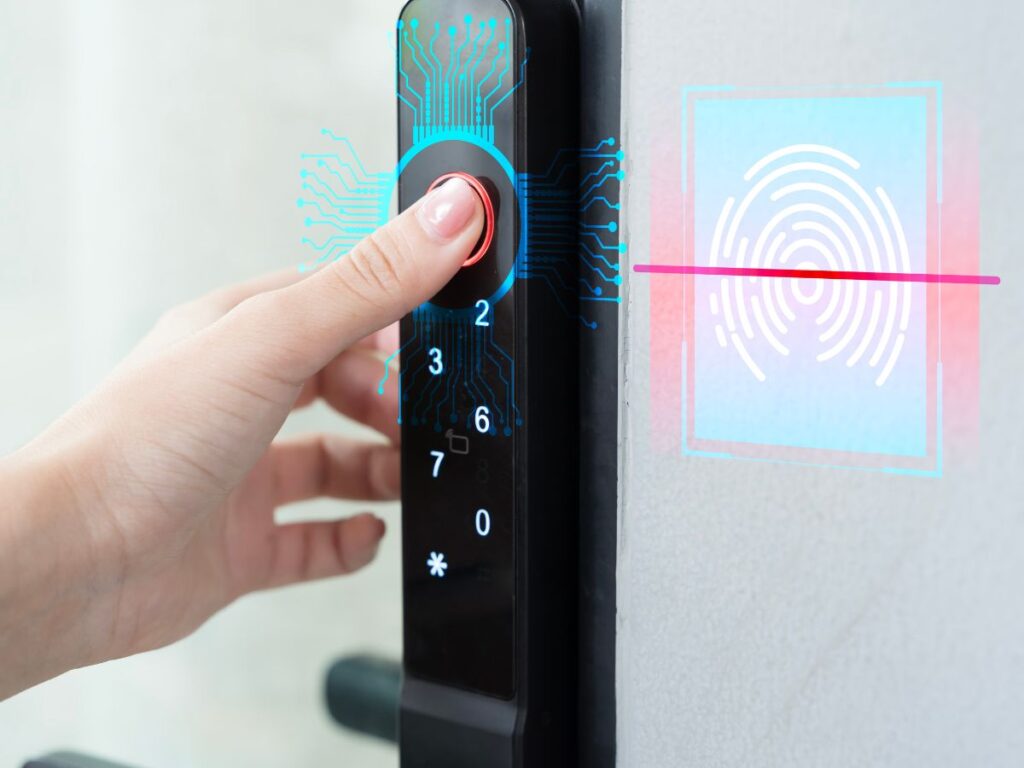
Professional installation follows systematic processes ensuring proper function, optimal security, and long-term reliability. Understanding these steps helps evaluate DIY feasibility and appreciate what professional installation includes.
Pre-Installation Assessment and Planning
Proper installation begins with thorough assessment before any physical work starts.
Door and frame condition evaluation determines whether your door is suitable for digital lock installation without modifications. Doors must be properly aligned so they close smoothly without binding or forcing. Misaligned doors cause digital lock motors to strain, draining batteries rapidly and potentially burning out motors prematurely. Warped doors or settling frames require correction before digital locks install properly.
Existing bore hole assessment determines whether current holes accommodate your chosen digital lock. Standard deadbolt bore holes are 2-1/8 inches diameter, but some locks require different sizes. Door thickness matters significantly with most residential digital locks fitting 1-3/8 to 1-3/4 inch thick doors. Commercial doors or solid wood doors might exceed standard thickness requiring extended components.
Strike plate and frame evaluation ensures the door frame can properly receive and secure the lock’s deadbolt. The strike plate must align perfectly with the lock’s bolt path. Frame material affects mounting security with hollow metal frames requiring different installation approaches than solid wood frames. Poor strike plate installation compromises security regardless of lock quality.
Wireless connectivity testing verifies adequate signal strength for smart locks requiring network connections. Testing WiFi or hub connectivity before installation prevents discovering connectivity problems after the lock is mounted. Poor signal might require WiFi extenders, different lock placement, or reconsidering wireless features.
Tool and equipment verification ensures all necessary items are available before starting work. Beyond basic hand tools, digital lock installation might require specialized drill bits, hole saws for bore hole enlargement, chisels for strike plate recesses, and testing equipment for wireless connectivity. Missing critical tools mid-installation causes delays and potentially incomplete work.
Physical Lock Installation
The mechanical installation process determines whether digital locks operate smoothly and reliably long-term.
Precise measurement and marking prevent misalignment problems. Lock height should be 36-48 inches from the floor for comfortable operation. The bore hole must be perfectly perpendicular to the door face. Strike plate positioning must align exactly with the lock bolt path. Professional installers verify measurements multiple times before drilling preventing permanent mistakes.
Bore hole preparation requires careful drilling technique preserving door integrity. The large hole saw creates significant stress on door materials especially near edges. Drilling from both sides of the door prevents edge tearout and splintering. The hole must be perfectly centered at the proper height maintaining adequate distance from door edges.
Strike plate installation affects security as much as the lock itself. The plate must be recessed flush with the frame surface allowing the deadbolt to extend fully. Long screws must penetrate through the frame into wall studs providing strength resisting forced entry. Surface-mounted strike plates with short screws compromise security making expensive digital locks no more secure than cheap locks with proper installation.
Component mounting requires attention to alignment ensuring smooth mechanical operation. The exterior assembly must align perfectly with the interior assembly through the door bore hole. Mounting screws must be tightened adequately without over-tightening that strips threads or cracks plastic components. Proper torque during assembly prevents both loose mounting and damaged components.
Weather sealing protects electronic components from Houston’s humidity and rain. Proper weatherstripping around the lock exterior prevents moisture infiltration that damages electronics. Sealing compounds fill gaps where water might enter around mounting holes. This weather protection proves especially critical in Houston’s humid climate where moisture creates ongoing electronic reliability problems.
Digital Configuration and Setup
Electronic configuration transforms installed hardware into functional digital security systems.
Initial power-up and testing verifies that electronic components survived installation without damage. Testing basic functions before completing configuration prevents discovering problems after final assembly. Checking that keypads illuminate, motors operate, and sensors respond confirms electrical systems work properly.
Administrative credential creation establishes primary access controls. Setting master codes, creating administrative accounts, and establishing primary authentication credentials must happen before any other configuration. These credentials control future system management and must be secured properly from the start. Weak or default administrative credentials create security vulnerabilities undermining the entire system.
User credential programming adds individual access for family members, employees, or other authorized users. Each person can receive unique PIN codes, enrolled fingerprints, or issued RFID credentials depending on lock capabilities. Individual credentials enable access tracking and selective revocation when users change. Proper user management maximizes security features digital locks provide.
Network connectivity configuration connects smart locks to home networks or smartphone apps. WiFi passwords must be entered correctly. Bluetooth pairing must be completed. Smart home platform integration requires following specific procedures for each platform. Configuration errors at this stage create ongoing connectivity frustration requiring troubleshooting.
Feature optimization customizes lock behavior for specific needs and preferences. Auto-lock timers can be set based on user preferences. Notification settings determine which events trigger alerts. Sensitivity adjustments for fingerprint readers improve recognition accuracy. Taking time to optimize these settings during installation ensures locks work as desired from the start.
Professional installation includes comprehensive testing of all features and authentication methods. PIN codes, fingerprint scanning, smartphone app access, voice control through connected platforms, and mechanical backup keys all get tested before installation completes. This thorough testing identifies any problems while the installer has tools and expertise available to fix issues immediately.
Houston-Specific Installation Considerations
Houston’s unique environment requires specific installation approaches ensuring long-term reliability.
Humidity protection becomes critical in Houston’s climate where moisture threatens electronic components. Locks installed on covered entries need less weather protection than those on fully exposed exteriors. Proper sealing around all penetrations prevents moisture infiltration. Some installers apply additional sealant beyond manufacturer specifications accounting for Houston humidity levels.
Temperature extremes affect doors and locks especially on south and west-facing entries receiving direct afternoon sun. Wood doors expand and contract with temperature and humidity changes affecting lock alignment. Metal doors heat to extreme temperatures in direct sun potentially affecting electronic components. Understanding sun exposure helps predict seasonal alignment changes requiring adjustment.
Storm preparation matters for Houston homes facing potential hurricane impacts. Digital locks should be tested with backup batteries or mechanical keys before storm seasons. Having spare batteries on hand prevents lockouts during extended power outages. Some homeowners keep traditional lock cylinders as emergency backups during major storm events.
Seasonal maintenance becomes more important in Houston’s climate than in milder regions. Checking weather seals, cleaning contact points, testing backup key access, and verifying battery condition helps prevent problems before they cause lockouts. Professional maintenance services include Houston-specific checks addressing climate-related concerns.
Choosing the Right Digital Lock for Your Needs
Selecting appropriate digital locks before installation prevents discovering incompatibility or inadequacy after installation completes.
Matching Lock Type to Application
Different digital lock types serve different needs making thoughtful selection important.
Primary residential entry doors benefit from full-featured smart locks with multiple authentication methods and connectivity options. These high-traffic entries justify investment in premium locks with robust construction and comprehensive features. The main door sets security tone and requires locks that balance strong security with convenient daily operation for families.
Secondary residential doors might use simpler keypad locks without connectivity features. Back doors, garage entries, or side doors see less traffic and might not need smartphone control or smart home integration. Basic keypad locks provide keyless convenience at lower cost for doors where full smart lock features aren’t necessary.
Rental properties need locks balancing security with easy credential management. Ability to change codes remotely or issue temporary access codes helps landlords manage tenant turnover and contractor access without constant rekeying. Some smart lock manufacturers specifically market rental property features including remote code generation and access logging.
Commercial applications require locks rated for high-traffic durability and often need integration with access control systems. Commercial-grade digital locks withstand daily use by numerous people without premature failure. They might integrate with employee time tracking, security systems, or building management platforms. Commercial locksmith services specialize in business-appropriate digital lock selection and installation.
Vacation homes benefit from remote access capabilities allowing homeowners to check lock status and grant access to visitors or service providers from anywhere. The ability to verify doors are locked after leaving and let housekeepers or repair technicians enter without coordinating key exchange provides genuine convenience for absentee owners.
Security Rating and Certification
Understanding security standards helps identify locks providing real security rather than just marketing claims.
ANSI/BHMA Grade 1 represents the highest residential and light commercial security rating. These locks undergo rigorous testing for strength, durability, and resistance to various attack methods. Grade 1 digital locks cost more than lower grades but provide security justifying premium pricing for high-value homes or commercial applications.
Grade 2 ANSI ratings meet standard residential security requirements balancing security with reasonable costs. Most quality residential digital locks carry Grade 2 ratings indicating they provide adequate security for typical homes. The rating confirms independent testing verified security claims rather than relying solely on manufacturer assertions.
Smart home platform certifications indicate proper security implementation for connected devices. Apple HomeKit certification requires manufacturers meet Apple’s security and encryption standards. Google and Amazon have similar certification processes. These certifications provide validation beyond manufacturer claims about connectivity security.
UL certification for electrical safety verifies locks meet safety standards for electronic devices. This testing confirms locks won’t create fire hazards or electrical problems from defective components or improper design. UL listings matter especially for hardwired digital locks connecting to household electrical systems.
Asking about security certifications when selecting locks separates quality products from marketing hype. Reputable manufacturers readily provide certification documentation. Vague security claims without independent certification should raise concerns about actual security provided.
Budget Considerations and Total Cost
Understanding complete costs helps make informed financial decisions about digital lock investments.
Lock hardware costs span wide ranges from $150 for basic keypad locks to $500+ for premium smart locks with comprehensive features. The hardware price represents only part of total investment. Understanding what features justify premium pricing versus what amounts to unnecessary extras helps optimize spending.
Professional installation adds $100-$250 depending on job complexity, existing door condition, and any necessary modifications. While this feels like additional expense, proper installation protects hardware investment and ensures reliable operation. Installation costs are one-time expenses versus potential ongoing frustration from improper installation.
Ongoing costs include periodic battery replacement adding $10-$20 annually for most battery-powered locks. Some smart locks charge subscription fees for advanced features like extended video storage or enhanced access logs. Factoring these recurring costs into total ownership expenses provides realistic lifetime cost understanding.
Potential savings from eliminating rekeying costs offset some digital lock expenses. Traditional locks require rekeying when keys are lost or users change. Digital locks simply delete old codes and create new ones costing nothing. Over years of ownership, this flexibility provides genuine financial benefit beyond just convenience.
Insurance considerations might affect total costs. Some insurance companies offer premium discounts for homes with monitored security systems or advanced locks. Smart locks with connectivity sometimes qualify for these discounts. Checking with your insurance provider might reveal savings offsetting lock costs.
Contacting professional locksmiths for detailed quotes including both hardware and installation ensures accurate total cost understanding before committing to specific locks.
DIY Installation vs Professional Installation
The decision between DIY and professional installation significantly affects outcome quality, ongoing satisfaction, and total investment protection.
When DIY Installation Makes Sense
Certain conditions favor DIY installation for capable individuals with appropriate skills and realistic expectations.
Simple keypad lock replacement on standard doors represents the most DIY-friendly scenario. If you’re replacing an existing deadbolt with a keypad lock of similar dimensions, installation resembles traditional deadbolt replacement. The electronic components add minimal complexity beyond basic mechanical installation. Homeowners who have successfully installed traditional deadbolts can often handle basic keypad locks.
Retrofit smart locks designed specifically for DIY installation eliminate most physical installation complexity. Models attaching to existing deadbolt interior mechanisms require only screwdriver work without drilling or door modification. These DIY-optimized locks focus complexity on digital setup rather than physical installation making them accessible to technically comfortable users.
Strong DIY skills including previous successful lock installations, comfort with power tools and precise drilling, patience for careful measurement and alignment, and troubleshooting capability when things don’t work perfectly all increase DIY success probability. Honest self-assessment of these skills prevents attempting installations beyond your actual capabilities.
Adequate time availability matters significantly. Rushing installation because of schedule pressure leads to mistakes. Having an uninterrupted day for the project allows careful work and troubleshooting if needed. Installation during vacation time or a weekend when time pressure doesn’t force shortcuts improves outcomes.
Realistic expectations about potential challenges and timeline help prevent mid-installation abandonment. Expecting 30-minute installation based on marketing claims sets up disappointment when reality takes 3-4 hours. Understanding that complications might arise and planning accordingly reduces stress when unexpected issues occur.
When Professional Installation Is Worth the Investment
Many scenarios strongly favor professional installation despite the additional cost.
Expensive premium smart locks justify professional installation protecting your investment. Installing a $400 digital lock yourself risks damaging expensive hardware through installation errors. The $150-$200 professional installation becomes insurance preventing $400 losses from mistakes. The security and convenience of proper installation justifies the installation investment.
Doors requiring modifications for digital lock accommodation need professional expertise. Enlarging bore holes, adjusting strike plates, shimming misaligned doors, or reinforcing weak frames require tools and skills most homeowners lack. Attempting these modifications without proper experience often damages doors requiring expensive repairs.
Multiple lock installations throughout a home favor professional efficiency. While DIY might work for one lock, installing locks on five doors professionally costs less in total time than DIY across multiple installations. Professional efficiency and bulk pricing make multi-lock installation particularly cost-effective professionally.
Hardwired digital locks requiring electrical connections need licensed electrician or qualified locksmith involvement. Improper electrical work creates fire hazards and code violations. The legal and safety implications of electrical work justify professional installation for any hardwired lock systems.
Complex smart home integration with security systems, home automation platforms, or business access control requires expertise most DIYers lack. Professional installers understand integration requirements and troubleshoot compatibility issues efficiently. Their experience prevents the frustration of spending hours researching integration problems.
Zero DIY confidence or previous home improvement failures suggest professional installation prevents adding digital lock installation to your list of incomplete projects. Honest assessment of your DIY track record helps avoid attempting installations likely to end with professional rescue calls. Emergency locksmith services respond to failed DIY attempts but cost more than professional installation would have initially.
Common Digital Lock Installation Mistakes
Understanding frequent errors helps you avoid them during DIY attempts or recognize when professionals cut corners.
Physical Installation Errors
Mechanical installation mistakes create immediate problems or long-term reliability issues.
Misaligned strike plates cause the most common and problematic installation errors. When the deadbolt doesn’t align perfectly with the strike plate opening, the motor strains to extend the bolt. This strain drains batteries rapidly, causes motor damage, and sometimes prevents the door from closing properly. Proper alignment requires patience and precision that rushed installation doesn’t allow.
Inadequate strike plate mounting compromises security regardless of lock quality. Using only the short screws included with locks that barely penetrate the door frame allows strike plates to pull out under forced entry attempts. Proper security requires long screws reaching through the frame into wall studs. This critical security step gets skipped surprisingly often.
Over-tightening mounting screws strips threads in metal components or cracks plastic housings. DIYers sometimes assume tighter is better applying excessive force during assembly. Stripped screw holes require repair or replacement. Cracked plastic components might not be immediately obvious but fail prematurely.
Improper weatherproofing leaves gaps allowing moisture infiltration into electronic components. Houston’s humidity makes weather sealing especially critical. Skipping weatherstripping or failing to seal around mounting holes creates paths for moisture that gradually corrodes electronics causing failures months after installation.
Door damage from drilling errors includes splintered edges from improper technique, off-center bore holes from poor measurement, or gouges from slipped tools. These permanent damages sometimes require complete door replacement costing far more than professional installation would have.
Digital Configuration Problems
Electronic setup mistakes prevent proper functionality or create security vulnerabilities.
Leaving default codes and passwords unchanged represents a critical security error. Manufacturers ship locks with known default credentials. Failing to change these during installation leaves easy access for anyone who tries default codes. This basic security step gets overlooked surprisingly often.
Improper network configuration causes ongoing connectivity frustration. Entering wrong WiFi passwords, failing to complete pairing procedures, or skipping firmware updates creates problems requiring troubleshooting. Some users give up on connectivity features rather than properly configuring them during installation.
Skipping comprehensive testing of all authentication methods means discovering non-functional features weeks after installation. Testing only PIN entry without verifying smartphone access, fingerprint scanning, or backup keys finds problems immediately when they’re easily fixable. Delayed discovery makes troubleshooting harder.
Inadequate user training creates ongoing operational problems. Family members don’t know how to operate features. They revert to mechanical backup keys rather than using digital features. The benefits of digital locks go unrealized because users don’t understand proper operation.
Poor documentation of codes and credentials creates lockouts when users forget codes or can’t remember how to add new users. Professional installation includes documentation of all credentials and basic operational guidance preventing common user problems.
Maintaining Your Digital Lock Installation
Proper maintenance ensures long-term reliability and prevents common problems that frustrate digital lock users.
Regular Maintenance Tasks
Routine attention prevents problems and extends lock lifespan.
Battery replacement on proactive schedules prevents unexpected lockouts. Rather than waiting for low battery warnings, replacing batteries every six months regardless of warnings ensures reliable operation. Marking battery change dates on calendars prevents forgetting this simple maintenance.
Cleaning contact points and sensors maintains reliable operation. Dirt and dust accumulation on keypads, fingerprint sensors, or mechanical components causes operational problems. Gentle cleaning with appropriate products removes contamination without damaging sensitive components.
Testing mechanical backup keys quarterly verifies they work when needed. Backup keys sitting unused for months sometimes stick or operate roughly when finally needed. Regular testing ensures backup access works during emergencies.
Checking weather seals and replacing worn weatherstripping prevents moisture infiltration. Houston’s weather gradually degrades seals requiring periodic inspection and replacement. This simple maintenance prevents moisture damage to electronics.
Verifying software and firmware updates keeps locks current with security patches and feature improvements. Manufacturers release updates fixing discovered issues and improving performance. Checking for updates quarterly ensures locks benefit from these improvements.
Troubleshooting Common Problems
Understanding typical problems helps address issues quickly preventing extended lockouts or frustration.
Connectivity problems with smart features often stem from WiFi issues rather than lock problems. Rebooting routers, checking network passwords, or moving closer to WiFi sources during troubleshooting identifies whether problems are network-related. Many “lock failures” are actually network problems.
Battery drain faster than expected indicates misalignment or motor strain. If batteries deplete in weeks rather than months, something forces the motor to work harder than designed. Checking alignment and adjusting strike plates often resolves rapid battery drain.
Recognition failures with fingerprint sensors result from dirty sensors, changed finger conditions, or environmental factors. Cleaning sensors, re-enrolling fingerprints, or understanding that cold or wet fingers scan differently addresses most recognition problems.
Mechanical binding or rough operation suggests alignment problems requiring adjustment. Doors settle over time especially in Houston’s shifting soil and humidity variations. Periodic alignment checks and adjustments maintain smooth operation.
Error codes or system malfunctions often resolve through power cycling. Completely removing and reinstalling batteries resets electronic systems clearing transient errors. This simple troubleshooting step fixes many reported problems.
When troubleshooting exceeds DIY capabilities, professional locksmith services provide expert diagnosis and repair preventing small problems from becoming major failures.
CJS Locksmith: Expert Digital Lock Installation in Houston
For Houston homeowners and businesses seeking professional digital lock installation ensuring reliable operation and maximum security, CJS Locksmith provides comprehensive services from consultation through installation and ongoing support.
Complete Digital Lock Installation Services
CJS Locksmith offers full-service digital lock installation addressing every aspect from initial planning through final configuration and user training.
Expert consultation helps you select appropriate digital locks for your specific needs, budget, and technical comfort level. Locksmiths explain differences between lock types, discuss features matching your requirements, recommend appropriate models for your doors and climate conditions, and provide honest guidance about DIY feasibility versus professional installation benefits.
Professional installation ensures your digital locks are installed correctly from the start. Services include thorough door and frame assessment before beginning work, precise physical installation with proper alignment and weather sealing, complete digital configuration and connectivity setup, comprehensive testing of all features and authentication methods, and detailed user training ensuring you understand lock operation.
Integration services connect digital locks with existing security systems, smart home platforms, or business access control as requested. Professional installers understand integration requirements across multiple platforms. They troubleshoot compatibility issues and ensure all systems work together seamlessly.
Post-installation support provides ongoing assistance after installation completes. Questions arising during initial use get answered. Troubleshooting help resolves problems quickly. Follow-up visits address issues requiring hands-on attention. This continuing support ensures your investment delivers expected benefits.
Houston-Specific Expertise
CJS Locksmith’s extensive Houston experience provides advantages beyond general locksmith knowledge.
Climate-appropriate recommendations account for Houston’s humidity, temperature extremes, and weather patterns. Locksmiths understand which locks perform reliably in local conditions and which face problems. This regional expertise prevents selecting locks that fail prematurely in Houston’s environment.
Understanding of local building types and construction methods helps anticipate door conditions and installation challenges. Houston’s diverse housing stock from historic homes to modern construction requires adapted installation approaches. Experienced local locksmiths recognize building-specific considerations affecting installation.
Familiarity with common Houston door and frame conditions from the region’s soil movement and humidity variations helps predict and prevent alignment problems. Local experience identifies doors likely to shift seasonally requiring adjustment planning during installation.
Professional Standards and Reliable Service
CJS Locksmith maintains professional standards ensuring consistent quality across all installations.
Experienced technicians trained in both traditional locksmith skills and modern digital lock technology handle your installation. They understand mechanical lock fundamentals plus electronic systems and connectivity. This comprehensive knowledge ensures proper installation of all digital lock components.
Proper tools and equipment including specialized drill bits, installation jigs, and digital testing equipment ensure precise installation. Professional-grade tools produce better results than improvised DIY equipment. Investment in appropriate tools reflects commitment to quality installation.
Transparent pricing provided upfront eliminates surprise costs. Detailed quotes specify all charges before work begins. No hidden fees or unexpected additions appear on final invoices. Transparent pricing builds trust and allows informed decisions.
Guaranteed work means CJS Locksmith stands behind installations. If installation problems arise from workmanship, correction happens at no additional charge. This accountability distinguishes professional installation from DIY attempts where mistakes become costly repairs.
Convenient Houston location and flexible scheduling accommodate various project timelines and customer needs. Service throughout the Houston area provides accessibility for residential and commercial customers. Scheduling flexibility helps installations happen when most convenient for customers.
Contact CJS Locksmith for Professional Digital Lock Installation:
Schedule Consultation: Contact CJS Locksmith to discuss your digital lock installation needs and receive expert guidance
Residential Services: Professional digital lock installation for homes
Commercial Services: Business digital lock installation and access control
Emergency Services: 24/7 locksmith assistance for urgent needs
Questions: Digital lock FAQ and resources
Whether you need expert guidance selecting appropriate digital locks, professional installation ensuring reliable operation, integration with smart home or security systems, or ongoing maintenance and support, CJS Locksmith provides comprehensive digital lock services throughout Houston.
Professional locksmith in Houston. CJS Locksmith—expert digital lock installation ensuring security, reliability, and convenience for Houston homes and businesses.