
You’re tired of fumbling for keys when your hands are full of groceries. You’ve locked yourself out twice this year, paying for emergency lockouts each time. Your teenage kids keep losing their house keys, forcing you to rekey your locks. You’re ready for a solution that eliminates physical keys entirely.
You start researching keyless entry systems and immediately feel overwhelmed. Smart locks with smartphone apps promise remote access from anywhere. Keypad locks let you enter with PIN codes. Fingerprint scanners recognize your biometric signature. Key fobs and cards offer tap-to-unlock convenience. Bluetooth proximity locks detect your approach and unlock automatically.
Which keyless entry system actually makes sense for your Houston home? What are the real advantages beyond eliminating keys? What drawbacks should you consider before investing hundreds of dollars in keyless technology?
Here’s what makes choosing keyless entry systems confusing: each technology offers different features, faces different vulnerabilities, requires different levels of technical comfort, and costs significantly different amounts. The best keyless entry for your neighbor’s home might be completely wrong for yours based on your household composition, technical comfort level, budget, and security priorities.
This guide explains every major type of keyless entry system available for Houston homes, breaks down the genuine advantages and limitations of each type, provides honest assessments of what works well and what creates problems, and helps you choose the keyless entry approach that fits your specific situation, with expert installation guidance from CJS Locksmith’s residential locksmith services throughout Houston.
Understanding Keyless Entry Systems: The Basics
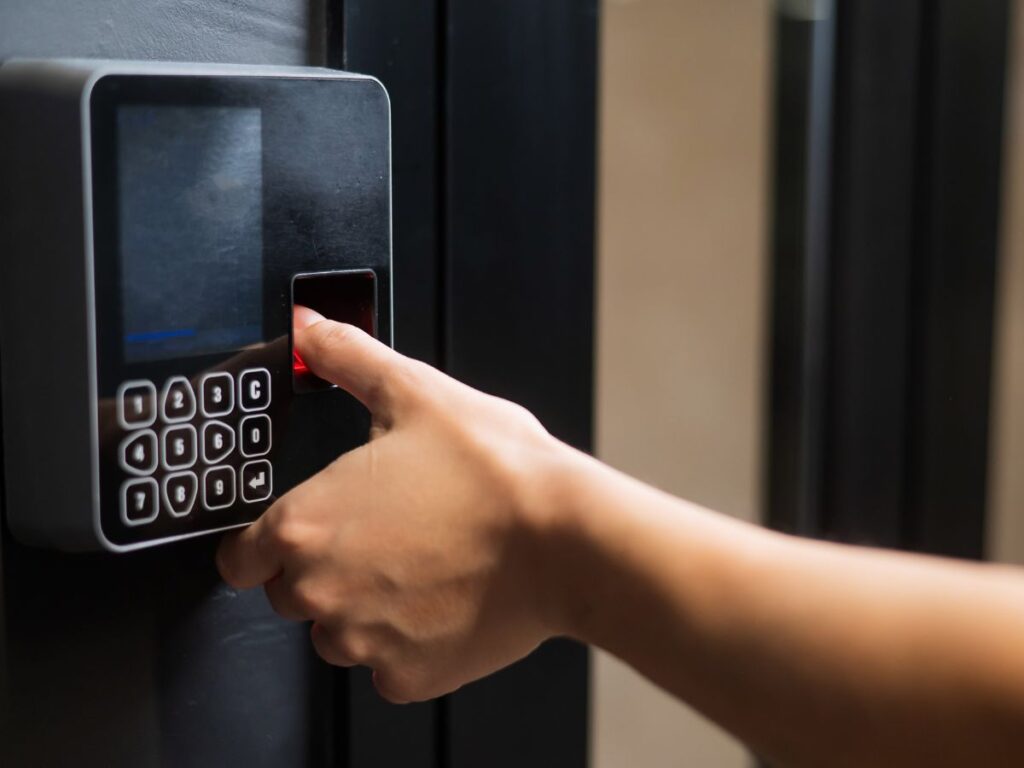
Before evaluating specific types, understand what keyless entry means and what unites the various approaches despite their technical differences.
What Defines a Keyless Entry System
Keyless entry systems eliminate the need for traditional metal keys to unlock doors. Instead of inserting and turning a physical key, you gain access through alternative authentication methods that verify your identity or authorization to enter.
The core principle across all keyless entry systems is authentication without mechanical keys. You prove you’re authorized to enter through knowledge of a PIN code, possession of an electronic credential like a key fob or smartphone, biometric identification through fingerprints or facial recognition, or proximity detection when your authorized device comes near the lock. Each method replaces the physical key with a different authentication approach.
Electronic components enable keyless operation. Battery-powered or hardwired electronics control the lock mechanism, processing your authentication method and triggering the lock or unlock action. Circuit boards, wireless communication modules, and motorized bolt mechanisms replace purely mechanical lock operation. This electronic foundation distinguishes keyless systems from traditional mechanical locks.
Most keyless entry systems retain backup mechanical key access for emergencies. If batteries die, electronics fail, or you simply need emergency access, a physical keyhole typically remains hidden behind the modern keyless interface. This redundancy ensures you’re never completely locked out even when technology fails.
For Houston homes, professional residential locksmith installation ensures keyless entry systems are properly configured and integrated with your existing doors and security setup.
Why Keyless Entry Has Become Popular
Keyless entry adoption has accelerated dramatically over the past decade driven by converging factors that make the technology more practical and appealing.
Convenience drives primary appeal for most users. Keyless entry eliminates the daily frustration of searching for keys in purses or pockets, the hassle of carrying multiple keys on bulky keychains, the inconvenience of making copies for family members, and the anxiety of potentially losing keys that can’t easily be replaced. Simply entering a code or touching your phone to the lock feels effortless compared to traditional keys.
Improved home security motivates many keyless entry adoptions. You can grant temporary access to contractors or guests without giving away physical keys that might be copied. Access logs show exactly who entered when, providing security awareness impossible with traditional keys. You can instantly revoke access by deleting codes or credentials without rekeying locks. The ability to control and track access provides security benefits beyond physical key limitations.
Smart home integration makes keyless entry a natural component of broader home automation. Keyless locks connect with smart home platforms like Amazon Alexa, Google Assistant, and Apple HomeKit, enabling voice control and automation routines. Locks can trigger other smart devices when you arrive home or leave. This integration transforms door locks from isolated mechanical devices into connected components of intelligent home systems.
Technology maturation has made keyless entry more reliable and affordable. Early keyless systems suffered from reliability problems, complicated setup, and premium pricing. Modern keyless entry benefits from years of design refinement, more robust components that handle Houston’s climate challenges, simplified installation and setup, and competitive pricing with options at multiple price points. The technology has evolved from early adopter territory to mainstream home security.
Type 1: Keypad Entry Systems (PIN Code Locks)
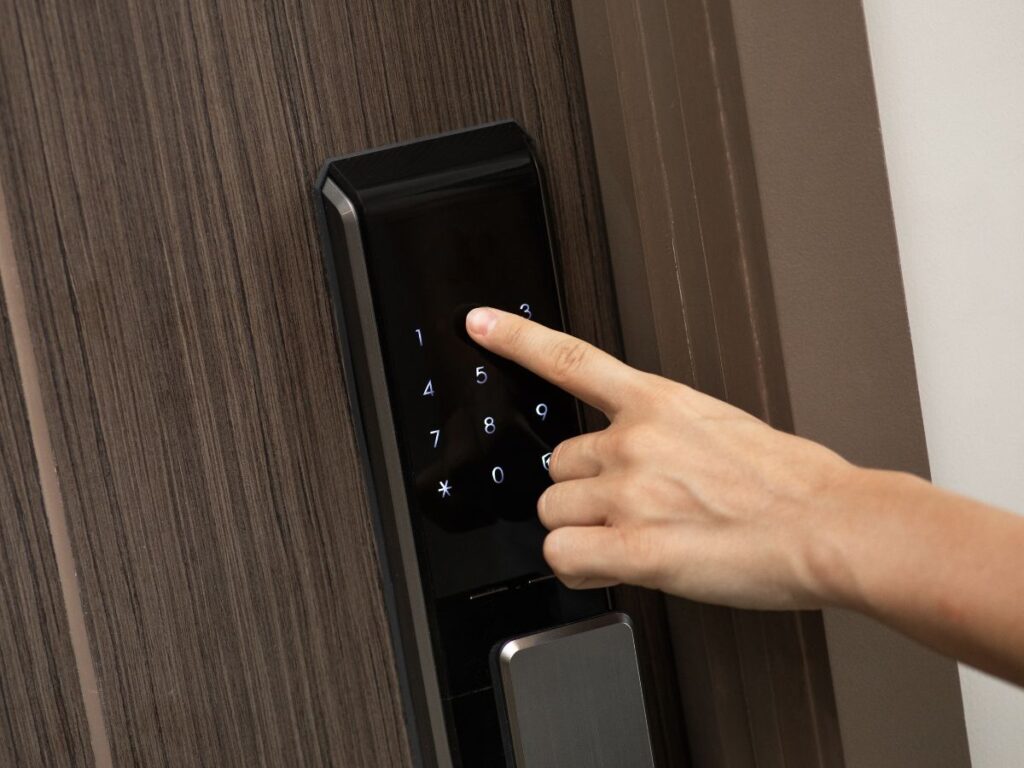
Keypad entry systems represent the simplest and most established form of keyless entry, using numeric codes for access authentication.
How Keypad Entry Systems Work
Keypad locks replace traditional key cylinders with electronic keypads requiring PIN code entry. You program numeric codes ranging from four to eight digits, with each authorized user potentially having their own unique code. When you enter the correct PIN, the lock’s electronic mechanism disengages allowing the door to open. Incorrect codes are rejected and the door remains locked.
Modern keypad systems vary in interface design. Basic keypads use physical buttons that press mechanically, providing tactile feedback similar to telephone keypads. Touchscreen keypads use capacitive surfaces that respond to finger touch without mechanical movement, offering sleeker appearance but sometimes less reliable operation in extreme weather. Backlit keypads illuminate numbers for nighttime use, while non-backlit versions save battery power.
Power sources for keypad locks are typically batteries installed inside the lock housing. Four AA or AAA batteries commonly power keypad locks for six to twelve months depending on usage frequency and whether the lock has power-hungry features like WiFi. Low battery warnings alert you weeks before batteries die completely. Some premium models offer hardwired electrical connections for continuous power without battery replacement.
Programming varies by model but generally involves entering an administrative code, adding new user codes, setting optional time restrictions for specific codes, and deleting codes when users no longer need access. Better keypad systems allow 20-50+ unique codes accommodating larger households or small businesses.
Advantages of Keypad Entry Systems
Keypad locks offer several compelling benefits that explain their continued popularity despite newer technologies.
No smartphone required makes keypad entry universally accessible. Elderly family members uncomfortable with smartphone apps can use keypads easily. Young children can remember simple codes without needing phones. Guests without smartphones can still access your home with temporary codes. This universal usability across all age groups and technical comfort levels provides genuine advantage over smartphone-dependent systems.
Simple operation with minimal learning curve means anyone can use keypad locks after one demonstration. Enter your code and turn the handle. The intuitive operation requires no app downloads, Bluetooth pairing, or technical troubleshooting. This simplicity reduces support requests and user frustration.
No internet or wireless connectivity required means keypad locks work regardless of WiFi outages, Bluetooth issues, or internet service problems. The lock operates entirely independently using battery power and internal electronics. You never face the frustration of being unable to unlock your door because your internet is down.
Multiple user codes enable individual tracking and flexible access management. Family members can have unique codes allowing you to see who entered when if your lock has logging capability. Temporary codes for contractors or guests can be deleted after they’re no longer needed. The ability to create and delete codes without changing physical keys provides flexibility traditional locks can’t match.
Relatively affordable pricing makes keypad entry accessible. Quality keypad locks cost $100-$250, significantly less than premium smart locks with extensive features. For Houston homeowners wanting keyless convenience without smartphone dependency or high costs, keypads offer excellent value. Professional installation from CJS Locksmith residential services ensures proper setup and operation.
Disadvantages of Keypad Entry Systems
Despite their advantages, keypad systems have limitations that make them unsuitable for some situations and users.
PIN codes can be observed by others watching over your shoulder when you enter your code. Someone standing nearby or watching from a distance can potentially see the code you enter. This vulnerability is mitigated somewhat by privacy screens you can install or random number pad layouts some locks use, but observation remains a genuine concern.
Codes must be memorized by all users, which some find burdensome. Forgetting codes leads to lockouts just as losing keys does. While you can write codes down, storing them creates security risks if someone finds your written codes. The need to remember multiple codes if you use different ones for different family members adds mental burden.
Limited remote access capability means most basic keypad locks offer no way to unlock remotely. If you need to let someone in while you’re away, you must give them the code in advance. You can’t unlock the door from work when a contractor arrives early. This limitation frustrates users wanting flexible remote access.
Mechanical wear on frequently used number buttons can reveal which numbers are in your code. Keypads with physical buttons show wear patterns over time. The most frequently pressed buttons may have more worn paint or different texture. Observant intruders might narrow down possible codes by identifying worn buttons. Touchscreen keypads avoid this specific issue but face other durability challenges.
Battery replacement is required periodically, typically once or twice yearly. While batteries are inexpensive and replacement is simple, it’s an ongoing maintenance requirement traditional locks don’t have. Forgetting battery replacement can lead to lockouts if batteries die unexpectedly, though most locks warn you weeks in advance.
Type 2: Smart Locks with Smartphone Control
Smart locks integrate with smartphones, offering advanced features and remote access that keypad-only systems can’t provide.
How Smart Locks Work
Smart locks use wireless connectivity to communicate with your smartphone, enabling control through dedicated mobile apps. Bluetooth models connect directly to your phone when you’re within 30-40 feet, while WiFi models connect through your home network allowing remote access from anywhere with internet.
The smartphone app becomes your virtual key. You can lock and unlock with a tap on your phone screen, receive notifications when the door locks or unlocks, check current lock status from anywhere, and grant temporary access to visitors remotely. The app provides a control interface far more sophisticated than keypad-only systems.
Authentication methods with smart locks vary by model. Some verify your phone’s unique identifier and unlock when your authorized phone comes within range. Others require you to open the app and tap an unlock button. Premium models support auto-unlock detecting your arrival and unlocking automatically as you approach. Each approach balances convenience against security.
Integration with smart home platforms extends functionality beyond basic locking. Smart locks connect with Amazon Alexa enabling voice commands like “Alexa, lock the front door.” Google Assistant integration allows similar voice control and automation. Apple HomeKit compatibility enables control through Siri and iPhone widgets. Samsung SmartThings integration creates automated scenes combining lock status with other smart devices.
Most smart locks include backup options beyond smartphone control. Physical keypads on the lock exterior allow PIN entry when your phone battery dies. Mechanical backup keys provide emergency access if all electronics fail. These redundancies prevent smartphone dependence from creating vulnerability.
For Houston homes wanting comprehensive smart home integration, professional locksmith installation ensures smart locks connect properly with existing systems and home networks.
Advantages of Smart Locks
Smart locks offer the most advanced features and flexibility of any keyless entry type, creating compelling benefits for tech-comfortable households.
Remote access from anywhere allows you to control your lock from any location with internet. Lock the door you forgot to secure from your office. Unlock for the dog walker from vacation. Check whether the door is locked from bed without getting up. This remote capability transforms home security management.
Temporary access management becomes remarkably easy with smart locks. Generate a one-time code for a contractor that expires after their appointment. Create a week-long code for houseguests that automatically deletes when they leave. Grant access to multiple service providers without coordinating physical keys. The flexibility for managing temporary access exceeds any other keyless entry type.
Detailed access logs show exactly who entered when, providing security awareness impossible with traditional keys or basic keypads. See when your kids got home from school. Verify that the housekeeper arrived at the scheduled time. Review access history if you suspect unauthorized entry. This logging capability provides both security and peace of mind.
Smart home automation integration creates powerful convenience features. Your lock can trigger lights to turn on when you unlock the door. Unlocking can disarm your security system automatically. The thermostat adjusts when you arrive home. These automated scenes based on lock status enhance overall smart home functionality.
No visible keyhole on many models presents a sleek, modern appearance and eliminates the traditional entry point for lock picking. The smooth exterior surface without obvious mechanical vulnerability appeals to both security and aesthetics.
Disadvantages of Smart Locks
Despite impressive capabilities, smart locks introduce complications and vulnerabilities that frustrate some users and create legitimate security concerns.
Smartphone dependency means if your phone battery dies or you forget your phone, you can’t unlock the door through the app. While backup keypads and mechanical keys mitigate this issue, the primary access method becomes unavailable. For users who frequently have dead phone batteries or forget their phones, this creates regular frustration.
Connectivity issues plague all wireless devices including smart locks. WiFi network problems prevent remote access. Bluetooth pairing sometimes fails requiring reconnection. App crashes or bugs prevent unlocking at inconvenient moments. These technical problems create the most common user complaints about smart locks.
Security vulnerabilities from WiFi connections create genuine concerns. Any WiFi-enabled device faces potential hacking if not properly secured. While reputable manufacturers implement strong encryption and security measures, internet-connected devices inherently face risks purely mechanical locks never encounter. Using strong unique passwords and enabling two-factor authentication when available mitigates but doesn’t eliminate this concern.
Higher cost compared to basic keypads means smart locks typically cost $250-$400 versus $100-$250 for quality keypad-only locks. The advanced features justify the premium for many users, but budget-conscious households may find the additional expense difficult to justify.
Complexity of setup and management means smart locks require more technical comfort than simple keypad systems. App installation, account creation, network configuration, platform integration, and troubleshooting all demand technical skills beyond traditional lock operation. This complexity creates barriers for less tech-savvy users.
Battery drain from wireless connectivity is faster than basic keypads, particularly for WiFi models that maintain constant connections. Expect battery replacement every 4-6 months rather than 6-12 months for simpler keypad locks. More frequent battery changes create additional maintenance burden.
For homes experiencing connectivity problems, CJS Locksmith’s FAQ provides troubleshooting guidance and support resources.
Type 3: Biometric Entry Systems (Fingerprint and Facial Recognition)
Biometric keyless entry uses unique physical characteristics rather than codes or devices for authentication, offering the ultimate in convenience and security.
How Biometric Entry Systems Work
Biometric locks identify you based on unchangeable physical characteristics unique to each person. Fingerprint scanners are most common, using optical or capacitive sensors to read fingerprint patterns. During setup, you scan each authorized finger multiple times, allowing the system to learn and recognize your fingerprint from various angles. When you place your finger on the scanner, it compares your print to stored patterns and unlocks if a match is found.
Facial recognition systems use cameras with sophisticated image processing to identify faces. During enrollment, the system captures your face from multiple angles and in different lighting conditions. When you approach, the camera scans your face and unlocks if you’re recognized. Premium systems use 3D mapping preventing spoofing with photos.
Iris scanning represents the most secure biometric option but is rare in residential applications. These specialized scanners read unique patterns in your iris using infrared light. The complexity and cost keep iris scanning primarily in high-security commercial applications rather than homes.
Combination systems offer multiple authentication methods for flexibility. Many biometric locks include fingerprint scanning plus backup PIN keypad entry. Some add smartphone app control alongside biometric recognition. This redundancy ensures you can always access your home even if the biometric scanner fails or doesn’t recognize you due to injury or environmental conditions.
Advantages of Biometric Entry Systems
Biometric authentication provides unique benefits that no other keyless entry type can match.
No codes to remember or devices to carry means access requires only your physical presence. You can’t forget your fingerprint at home. You can’t lose your face like a key fob. This ultimate convenience eliminates the cognitive burden of remembering codes and the physical burden of carrying devices.
Biometric credentials cannot be shared or duplicated like codes or key fobs. You can’t write down your fingerprint and accidentally leave it where someone finds it. You can’t text your face to someone like you might share a PIN code. This inherent non-transferability provides security benefits.
Extremely fast access takes typically under one second from placing your finger to door unlocking. The speed exceeds PIN entry and approaches the convenience of simply turning a key. This rapid authentication makes biometric entry the fastest keyless option.
No visible security code entry means observers can’t watch you enter a PIN or see which numbers you press. The authentication happens invisibly inside the scanner, preventing observation attacks that plague keypad systems.
Weather resistant with no mechanical keypad means high-quality biometric scanners withstand Houston’s rain, humidity, and temperature extremes better than mechanical keypads that can stick or fail in extreme weather.
Disadvantages of Biometric Entry Systems
Despite impressive advantages, biometric locks face limitations and vulnerabilities that affect their suitability for many situations.
Higher cost than other keyless options makes biometric locks a premium choice. Quality fingerprint locks cost $200-$400 or more, with facial recognition systems even more expensive. The advanced technology commands premium pricing that puts biometric entry beyond some budgets.
Recognition failures frustrate users when legitimate authorized fingerprints aren’t recognized. Wet fingers from rain or swimming often aren’t recognized. Dirty fingers from gardening or cooking may fail scanning. Injured fingers with cuts or bandages can’t be scanned. Cold fingers in winter sometimes scan differently than summer calibration. These false rejections create the most common user frustration with biometric systems.
Environmental sensitivity affects fingerprint scanner performance. Houston’s high humidity can interfere with optical scanners. Extreme temperatures affect both fingerprint readers and cameras. Direct sunlight washes out facial recognition cameras. These environmental challenges require careful product selection for outdoor Houston applications.
Privacy concerns about biometric data storage make some users uncomfortable. Storing fingerprints or facial scans raises questions about data security and potential misuse. While reputable manufacturers encrypt biometric data and store it locally rather than in the cloud, the permanent nature of biometric credentials creates privacy considerations that don’t apply to changeable PIN codes.
Limited number of authorized users constrains larger households. Most biometric locks store 20-50 fingerprints, which sounds generous until you realize each person might register multiple fingers for redundancy. Families wanting to authorize numerous people might exhaust capacity, though this affects few typical residential applications.
For homes in Houston wanting biometric security without technical complexity, professional locksmith consultation helps select appropriate systems for your climate and security needs.
Type 4: Key Fobs and RFID Card Systems
Key fobs and RFID cards offer tap-to-unlock convenience familiar from hotel room access and office buildings, now available for residential applications.
How Key Fob and Card Systems Work
RFID (Radio Frequency Identification) keyless entry uses small electronic credentials that communicate wirelessly with the lock when brought close. Key fobs are small plastic devices typically attached to keychains, while RFID cards resemble credit cards and fit in wallets. Both contain passive RFID chips that transmit unique identification codes when powered by the lock’s electromagnetic field.
The lock detects your credential when you wave the fob or tap the card near the reader, typically within 1-3 inches. If the credential’s code matches an authorized identifier stored in the lock’s memory, the lock disengages. If the code doesn’t match, access is denied. The entire process takes under one second from credential presentation to unlocking.
Programming credentials varies by system but typically involves putting the lock in programming mode using an administrative credential or PIN code, then presenting the new credential to be learned. The lock reads and stores the credential’s unique identifier, authorizing it for future access. Deleting credentials follows similar processes, removing authorization from lost or compromised fobs or cards.
Most RFID residential systems support 50-100 or more unique credentials, far exceeding typical household needs. This capacity makes RFID suitable for small businesses using residential locks who need to authorize numerous employees without managing dozens of PIN codes.
Advantages of Key Fob and Card Systems
RFID credentials provide specific benefits that make them attractive for certain applications and user preferences.
Extremely fast and convenient access requires simply waving the fob or tapping the card near the reader. The contactless operation is faster than PIN entry and doesn’t require remembering codes. For users who dislike typing codes, especially with cold fingers in winter, RFID offers superior convenience.
Credentials are easily carried with minimal bulk. Key fobs attach to existing keychains replacing physical keys. Cards slip into wallets alongside credit cards. The small form factor means carrying credentials never becomes burdensome like heavy traditional key rings.
Easy to manage and revoke access when credentials are lost or users change. Deleting a credential from the system takes seconds, immediately revoking access without rekeying locks. Replacement credentials are inexpensive compared to rekeying traditional locks when keys are lost.
No battery in credentials means fobs and cards never need charging or battery replacement. The passive RFID chips are powered by the lock’s electromagnetic field only when presented, requiring no independent power source. This makes credentials essentially maintenance-free.
Suitable for commercial-residential applications like small businesses operating from home or rental properties needing to manage multiple tenant access. RFID systems bridge residential and light commercial needs effectively.
Disadvantages of Key Fob and Card Systems
Despite conveniences, RFID keyless entry faces limitations that make it less suitable than other options for many residential users.
Still requires carrying something physical, which defeats the primary appeal of truly keyless entry for many users. You can lose fobs and cards like traditional keys. You can forget them at home. The need to carry and present credentials feels less evolved than fingerprint scanning or smartphone apps.
Credentials can be lost or stolen, requiring deletion from the system. While deleting compromised credentials is easier than rekeying locks, you still face the inconvenience and security concerns of lost access credentials. Someone finding your fob or card gains temporary access until you realize it’s lost and delete the credential.
Limited availability for residential applications compared to commercial markets means fewer product choices. Most RFID locks are designed for commercial applications with residential versions being afterthoughts. This limits options and often results in commercial-grade pricing for residential users.
Less common than keypads or smart locks means finding compatible replacement parts or additional credentials can be challenging. If the manufacturer discontinues your lock model, getting replacement fobs years later may be impossible, forcing complete lock replacement.
Potentially more expensive than keypad options depending on how many credentials you need. While the lock itself might cost similar to keypads, each additional fob or card costs $10-$30. Outfitting a large family with multiple credentials adds up quickly compared to free additional PIN codes.
For businesses needing commercial-grade access control, CJS Locksmith’s commercial services provide expertise with RFID and other advanced systems.
Type 5: Bluetooth Proximity and Auto-Unlock Systems
Bluetooth proximity systems detect your smartphone’s approach and can automatically unlock without any action required, representing the ultimate in hands-free convenience.
How Bluetooth Proximity Systems Work
Bluetooth proximity locks use low-energy Bluetooth to detect when your authorized smartphone comes within range, typically 10-30 feet depending on the system. When the lock detects your phone, it can automatically unlock the door based on your preferences, or it can simply wake up and prepare for app-based unlocking with reduced delay.
Geofencing uses your phone’s GPS location to arm and disarm the auto-unlock feature. When you leave a defined geographic perimeter around your home, the lock disables auto-unlock for security. When you return to the geofence, auto-unlock reactivates. This prevents accidental unlocking if you’re home but not approaching the door.
True auto-unlock systems work hands-free, unlocking as you approach without touching your phone. You walk up to your door with arms full of groceries, and the door unlocks before you reach it. This represents the ultimate keyless convenience, eliminating all manual unlocking actions.
Semi-automatic systems detect your presence and prepare for unlocking but require you to tap your phone or press a button to actually unlock. This balance between convenience and security prevents accidental unlocking while still reducing the steps needed compared to opening apps and navigating to unlock buttons.
Advantages of Bluetooth Proximity Systems
Proximity auto-unlock offers compelling benefits for users prioritizing maximum convenience and embracing smartphone dependency.
Truly hands-free operation means you never touch anything to unlock your door. The lock detects your arrival and unlocks automatically. This ultimate convenience transforms home arrival from a multi-step process into a seamless experience.
No app opening or button pressing required with true auto-unlock systems distinguishes them from standard smart locks that still require intentional unlocking actions. You approach, the door unlocks, you enter. The experience feels magical compared to fumbling with keys or even tapping phones.
Geofencing provides security by enabling auto-unlock only when arriving from outside your home. The system won’t unlock if you’re already home and simply walking near the door from inside. This contextual intelligence balances convenience with security.
Faster than opening apps and selecting unlock commands, proximity unlock saves seconds on every home entry. While seconds seem trivial, the accumulated time savings over years of daily use becomes meaningful, and the subjective convenience feels significant.
Battery efficient using Bluetooth Low Energy means proximity locks drain your phone battery minimally. Modern smartphones handle Bluetooth Low Energy with negligible battery impact, making the always-on proximity detection practical for daily use.
Disadvantages of Bluetooth Proximity Systems
Despite impressive convenience, proximity auto-unlock faces significant limitations and concerns that make many users hesitant to adopt it.
Security concerns from automatic unlocking create the most significant hesitation. The lock unlocks without your intentional action, potentially allowing access you didn’t intend to grant. If someone steals your phone, they can potentially unlock your door without knowing any codes. This loss of intentional control makes many security-conscious users uncomfortable.
False positives may unlock doors when you don’t intend entry. Walking near your door without actually entering might trigger unlock. Proximity to the door from inside might cause unwanted unlocking if geofencing isn’t perfectly configured. These accidental unlocks create both inconvenience and security concerns.
Bluetooth connectivity issues plague proximity systems more than other keyless types. Bluetooth must connect and maintain connection reliably for proximity to work. Bluetooth interference from other devices, smartphone Bluetooth bugs or settings, and connection delays can all prevent proximity unlock from working when expected.
Complete smartphone dependency means if your phone battery dies, malfunctions, or you forget it, you cannot enter without backup methods. While backup keypads or keys mitigate this, the primary access method becomes completely unavailable, creating frustration.
Battery drain on phone despite Bluetooth Low Energy efficiency still represents incremental drain. For users already struggling with smartphone battery life, adding proximity unlock to the services draining battery creates concern.
Not all smart locks support auto-unlock, limiting product choices. Proximity auto-unlock requires specific hardware and software support that not all smart locks provide. This specialized feature constrains your lock options if you want true auto-unlock.
For Houston homes considering auto-unlock systems, professional locksmith installation and configuration ensures proper geofencing and reliable operation.
Choosing the Right Keyless Entry System for Your Needs
With five distinct keyless entry types offering different features, advantages, and limitations, selecting the right system requires honest assessment of your priorities and situation.
Match System Type to Your Household
Your household composition strongly influences which keyless entry type works best for your situation.
Households with elderly or non-technical members should prioritize simple keypad systems. The straightforward PIN entry requires no smartphones, apps, or technical troubleshooting. Everyone can use keypads with minimal instruction. Biometric fingerprint systems also work well for non-technical users who struggle with codes but can place their finger on a scanner.
Tech-savvy households comfortable with smartphones and smart home platforms benefit most from full-featured smart locks with app control, remote access, and platform integration. The advanced features that frustrate less technical users become valuable tools for tech-comfortable households. The investment in premium smart locks pays dividends through enhanced functionality.
Families with young children might prefer keypad or biometric systems over smartphone-based locks. Kids can remember simple PIN codes or have their fingerprints enrolled. They don’t need smartphones to access home. As kids reach teenage years, transitioning to smartphone-based systems becomes practical.
Households frequently hosting guests or service providers benefit from smart locks with temporary access code generation. The ability to create and delete codes remotely without distributing physical keys provides unmatched flexibility for managing visitor access.
Rental properties or vacation homes need systems enabling remote access management. Smart locks allowing remote code creation, lock status checking, and access logging support rental property management far better than basic keypads or biometric systems.
Consider Your Budget
Keyless entry systems span a wide price range affecting total investment including hardware, installation, and ongoing costs.
Budget-conscious households should consider quality keypad locks costing $100-$200 for hardware plus $100-$150 for professional installation, totaling $200-$350. This provides reliable keyless entry without advanced features or premium costs. Reputable brands like Yale, Kwikset, and Schlage offer excellent budget keypad options.
Mid-range budgets support smart locks with app control and WiFi costing $250-$350 for hardware plus $150-$200 for installation including digital setup, totaling $400-$550. This price point delivers comprehensive keyless features without extreme premium pricing.
Premium budgets enable top-tier smart locks or biometric systems costing $350-$500+ for hardware plus $200-$250 for complex installation, totaling $550-$750. Premium systems justify their cost through superior construction, advanced features, better weather resistance for Houston conditions, and comprehensive manufacturer support.
Don’t forget ongoing costs in your budget calculations. Battery replacement every 6-12 months costs $5-$15 per change. Some smart locks require subscription fees for advanced features like extended video storage or enhanced access logging. Factor these recurring expenses into total ownership cost over 5-10 years.
For budget guidance and transparent pricing, contact CJS Locksmith for quotes specific to your situation and chosen system type.
Evaluate Your Security Priorities
Different keyless entry types face different security considerations requiring honest assessment of your security concerns and risk tolerance.
Maximum security-conscious households should prioritize biometric fingerprint systems that can’t be shared or observed, combined with backup keypads for redundancy. Biometric authentication eliminates code observation and sharing vulnerabilities while maintaining keyless convenience.
Convenience-prioritizing households willing to accept modest security tradeoffs might choose proximity auto-unlock systems despite security concerns. The hands-free convenience justifies the slightly elevated risk for users who value convenience above maximum security.
Balanced security and convenience might favor smart locks with app-based unlock requiring intentional action. You retain remote access and logging benefits while maintaining control over each unlock event. This middle ground satisfies many households seeking both security and modern features.
High-traffic households with many authorized users benefit from systems supporting numerous unique credentials. Smart locks and RFID systems handle larger user populations more effectively than biometric systems with fingerprint count limits.
For expert security assessments and recommendations, CJS Locksmith’s residential security services provide professional guidance tailored to your specific security needs and concerns.
Factor in Houston Climate Considerations
Houston’s challenging climate affects keyless entry system performance and longevity, making climate resilience a selection factor.
Extreme heat and humidity create challenges for all electronic locks. Keypad locks with physical buttons generally withstand Houston weather better than touchscreen models. Biometric fingerprint scanners must be specifically rated for outdoor use and high humidity. Smart locks need weather-resistant construction protecting internal electronics from moisture infiltration.
Direct sun exposure on south or west-facing doors creates extreme temperatures exceeding 120°F in summer. Locks on these exposures need especially robust weather ratings and heat tolerance. Consider covered entryways or shade solutions for locks on extreme sun exposure to extend component life.
Occasional freezing temperatures in Houston winters affect some keyless entry systems. Touchscreen keypads can become less responsive in cold weather. Moisture that penetrates seals can freeze and damage electronics. Choose locks rated for the full temperature range Houston experiences, typically -10°F to 120°F for outdoor-rated residential locks.
For Houston-specific product recommendations accounting for climate challenges, consult CJS Locksmith’s experienced installers familiar with which keyless entry systems perform reliably in local conditions.
Professional Installation vs. DIY for Keyless Entry Systems
The installation complexity for keyless entry systems varies significantly by type, affecting whether DIY makes sense or professional installation provides better value.
When DIY Installation Works
Some keyless entry systems are genuinely DIY-friendly for homeowners comfortable with basic tools and technology.
Simple keypad deadbolt replacements on standard doors work well as DIY projects. If you’re replacing an existing deadbolt with a keypad lock of the same size, installation mirrors traditional deadbolt replacement. Basic tools including a screwdriver and possibly a drill for minor adjustments are typically sufficient. Manufacturers provide detailed instructions and phone support for DIY installers.
Retrofit smart locks like August that attach to your existing deadbolt are explicitly designed for DIY installation. These require no drilling or door modification. Installation takes 15-30 minutes using just a screwdriver. Digital setup through smartphone apps is guided step-by-step. These represent the easiest keyless entry DIY option.
Tech-savvy homeowners comfortable with smartphone apps and WiFi troubleshooting can successfully install smart locks including the digital setup and platform integration. If you’ve successfully installed other smart home devices and aren’t intimidated by app configuration, smart lock DIY becomes practical.
When Professional Installation Makes Sense
Many keyless entry installations benefit significantly from professional expertise, making the installation investment worthwhile.
Complex installations requiring door preparation or adjustments need professional locksmith skills. If your door isn’t aligned properly, the strike plate needs repositioning, or bore holes need enlargement, professional tools and expertise prevent damage and ensure proper installation. Attempting these modifications without experience often results in damaged doors requiring professional correction.
Biometric systems with critical alignment requirements benefit from professional installation. Fingerprint scanners must be positioned precisely for comfortable finger placement and reliable scanning. Facial recognition cameras need specific mounting heights and angles for optimal performance. Professional installers understand these requirements and ensure optimal positioning.
Multiple lock installations throughout a home proceed more efficiently with professional service. While DIY might work for one lock, installing five locks professionally costs less than the time investment for DIY across multiple doors. Professional efficiency makes multi-lock installation particularly cost-effective.
Integration with existing security systems or complex smart home platforms often requires expertise beyond typical DIY comfort. Professional installers understand how to integrate locks with alarm systems, how to configure advanced automation routines, and how to troubleshoot integration issues. This expertise justifies installation investment for complex integrations.
Warranty requirements from some manufacturers specify professional installation to maintain coverage. If professional installation is recommended or required for warranty validity, DIY installation risks voiding warranty protection on expensive smart locks.
CJS Locksmith provides professional keyless entry installation throughout Houston, ensuring proper installation regardless of system complexity, door condition, or integration requirements.
CJS Locksmith: Expert Keyless Entry Installation and Support
CJS Locksmith provides professional keyless entry system installation, consultation, and support throughout Houston, combining traditional locksmith expertise with modern keyless entry technology knowledge.
Comprehensive Keyless Entry Services
CJS Locksmith offers complete keyless entry services from initial consultation through post-installation support. The service begins with expert consultation helping you understand different keyless entry types, evaluate options based on your household composition and needs, assess your budget and identify appropriate systems, and consider Houston climate factors affecting performance and longevity.
Professional installation ensures optimal performance from day one. Door assessment identifies compatibility issues before purchasing locks. Precise physical installation follows manufacturer specifications for reliability. Complete digital configuration handles app setup, WiFi pairing, smart home integration, and feature activation. Testing verifies all functions work correctly before the installer leaves.
Post-installation support provides ongoing assistance beyond the installation day. Feature demonstration ensures you understand all capabilities. User training helps family members learn operation. Troubleshooting assistance addresses issues arising during normal use. Professional installers provide contact information for follow-up questions as you become familiar with your keyless entry system.
Expert Guidance Navigating Keyless Entry Options
CJS Locksmith’s experience with diverse keyless entry systems across numerous Houston installations provides valuable expertise helping you make informed decisions.
Honest recommendations prioritize your needs over product sales. Installers explain trade-offs between different system types candidly. They identify which features you’ll actually use versus marketing hype. They advise against inappropriate systems even if they cost more. This honest approach ensures you get the right system rather than the most expensive.
Product knowledge spans multiple manufacturers and technologies. CJS Locksmith works with established brands including Schlage, Yale, Kwikset, August, and other reputable manufacturers. Installers understand the strengths and weaknesses of different models. They can compare specific products based on your priorities whether budget, features, durability, or aesthetics.
Houston-specific experience informs recommendations about climate resilience. Having installed keyless entry systems throughout Houston, CJS Locksmith knows which models withstand local weather conditions reliably. They can advise which systems face problems on sun-exposed doors. They understand which features work well in Houston humidity versus failing prematurely.
Professional Support Beyond Installation
CJS Locksmith provides services beyond initial installation supporting your keyless entry system throughout its lifetime.
Maintenance and battery replacement services ensure your keyless entry continues working reliably. Professional battery replacement prevents lockouts from dead batteries. Maintenance cleaning keeps keypads and fingerprint scanners functioning optimally. Regular service extends system life and prevents problems.
Repair and troubleshooting addresses issues when keyless entry systems malfunction. Electronic component failures require professional diagnosis and repair. Software issues need expert troubleshooting. Connectivity problems benefit from professional network assessment. CJS Locksmith provides repair services preventing the need to replace expensive locks due to repairable problems.
System upgrades and replacements help you update keyless entry as technology evolves. When you’re ready to upgrade from basic keypads to smart locks, CJS Locksmith handles the transition. When manufacturers discontinue support for older systems, professional replacement with current technology maintains your keyless entry capabilities.
Emergency locksmith services provide rapid response when keyless entry failures create urgent lockouts, ensuring you’re never stranded outside your home due to electronic malfunctions.
Frequently Asked Questions
What is the most reliable type of keyless entry system? Keypad locks with physical buttons represent the most reliable keyless entry type due to simple electronics, no wireless connectivity to fail, minimal components that can malfunction, and proven technology refined over decades. They work regardless of smartphone battery status, WiFi outages, or Bluetooth issues. For maximum reliability in Houston conditions, choose keypads from established manufacturers like Schlage or Kwikset.
How much does keyless entry installation cost in Houston? Total keyless entry installation costs range from $200-$750 depending on system type and installation complexity. Budget keypad locks cost $200-$350 installed. Mid-range smart locks cost $400-$550 installed. Premium smart locks or biometric systems cost $550-$750 installed. Prices include both lock hardware and professional installation services.
Can keyless entry systems be hacked? WiFi-enabled smart locks face potential hacking risks if not properly secured, though actual incidents are rare with quality locks from reputable manufacturers. Basic keypad locks without wireless connectivity can’t be hacked remotely. Bluetooth-only locks face minimal hacking risk since they don’t connect to the internet. Minimize risk by using strong unique passwords, enabling two-factor authentication when available, keeping firmware updated, and choosing locks from established manufacturers with good security track records.
Do keyless entry systems work during power outages? Yes, all battery-powered keyless entry systems work during power outages since they run on internal batteries rather than household electrical power. Power outages don’t affect lock operation. However, WiFi-enabled features won’t work if your internet router loses power. You can still unlock using keypads, fingerprints, or smartphone apps via Bluetooth. Only hardwired keyless systems potentially fail during power outages.
How long do batteries last in keyless entry systems? Battery life varies by system type and usage. Basic keypad locks run 6-12 months on batteries. Smart locks with WiFi last 4-6 months due to wireless connectivity drain. Biometric fingerprint locks typically last 6-10 months. Usage frequency significantly affects battery life—heavily used locks need batteries more frequently. Most systems warn you weeks before batteries die completely, preventing unexpected lockouts.
Which keyless entry is best for elderly users? Keypad locks or biometric fingerprint systems work best for elderly users who may struggle with smartphone apps. Keypads with large, well-lit buttons enable easy code entry. Fingerprint scanners eliminate code memorization entirely. Both operate independently without smartphones, apps, or internet connectivity. Avoid systems requiring smartphone dependency or complex app navigation for elderly users unless they’re comfortable with technology.
Choosing Your Keyless Entry Future
Keyless entry systems offer compelling benefits over traditional locks including eliminating key hassles, providing flexible access management, enabling access tracking and logging, and integrating with modern smart homes. However, different keyless entry types—keypad systems, smart locks, biometric scanners, RFID credentials, and proximity auto-unlock—serve different needs and face different limitations.
The best keyless entry system for your Houston home depends on your household composition and technical comfort, security priorities and risk tolerance, budget for both initial investment and ongoing costs, and willingness to maintain and manage electronic systems. No single keyless entry type is universally best—the right choice is the system that matches your specific situation and priorities.
CJS Locksmith provides expert keyless entry consultation, installation, and support throughout Houston, helping you select appropriate systems for your needs and ensuring professional installation for reliable long-term operation.
Contact CJS Locksmith for Keyless Entry Expertise
Explore keyless entry options for your Houston home with expert guidance from experienced professionals. Contact CJS Locksmith today for consultation and professional installation.
Residential Locksmith Services
Commercial Locksmith Services
Emergency Locksmith Services
Automotive Locksmith Services
FAQ – Keyless Entry Questions
Professional locksmith in Houston. CJS Locksmith—expert keyless entry installation and support for modern home security.Need other locksmith services? CJS provides emergency locksmith services, automotive locksmith services, and commercial locksmith services throughout Houston.