
You’re considering smart locks for your Houston home but you’re hesitant. You’ve heard concerning stories about security vulnerabilities that make you question whether keyless entry is truly safe.
Someone told you smart locks can be hacked remotely by anyone with a laptop. You read an article claiming WiFi-enabled locks are open invitations to burglars. A friend insists traditional deadbolts are always more secure than electronic locks. Your neighbor warned that smart locks fail completely during power outages, leaving you locked out or worse, leaving your home vulnerable.
These warnings sound alarming, but how many are actually true? How many are exaggerations, misunderstandings, or complete myths that don’t reflect real-world smart lock security?
Here’s what makes evaluating smart lock safety so confusing: the truth lies somewhere between “smart locks are perfectly secure” and “smart locks are hacking targets waiting to be exploited.” Some security concerns are legitimate and deserve consideration. Other widely believed myths have little basis in reality and cause unnecessary fear preventing people from adopting legitimately secure technology.
This guide systematically examines the most common smart lock safety myths circulating among Houston homeowners, separates genuine security concerns from misconceptions, provides honest assessments of real vulnerabilities versus exaggerated fears, and helps you make informed decisions about smart lock security with expert guidance from CJS Locksmith’s residential security services throughout Houston.
Understanding Smart Lock Security: The Foundation
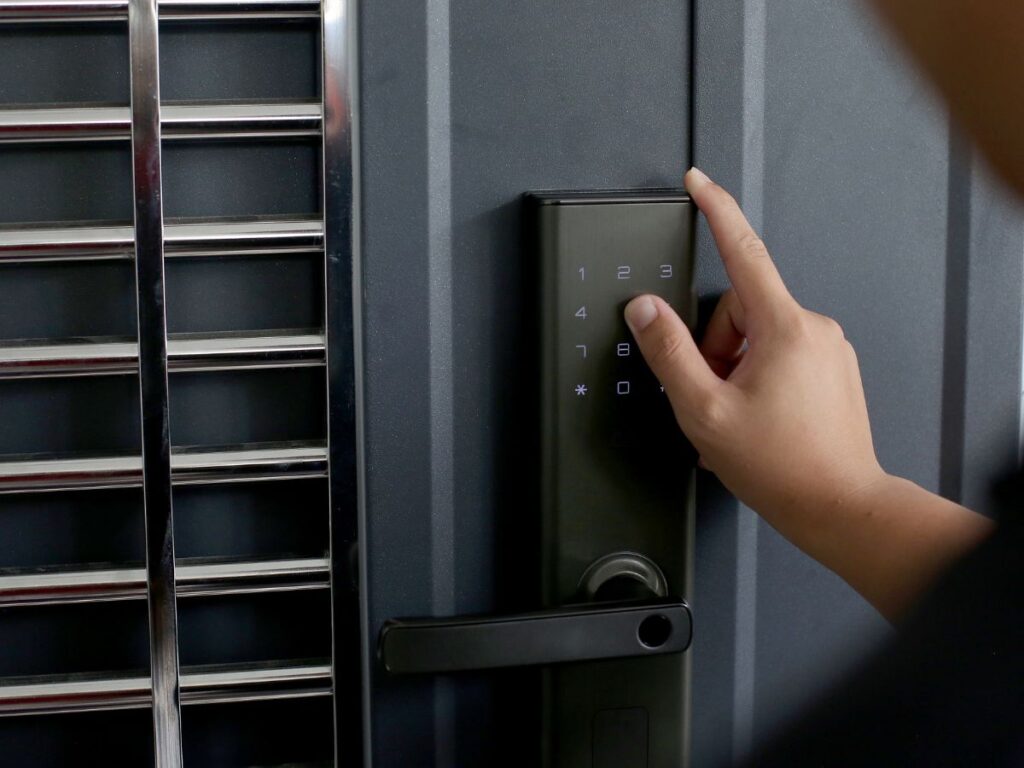
Before debunking specific myths, establish baseline understanding of how smart lock security actually works and what makes systems more or less vulnerable.
How Smart Lock Security Works
Smart lock security operates on multiple layers working together to prevent unauthorized access while enabling convenient operation for authorized users.
Physical security remains the foundation of any lock system whether traditional or smart. Quality smart locks use the same hardened steel deadbolts as traditional locks. The bolt extends one inch into the strike plate just like mechanical deadbolts. Anti-drill plates protect cylinders from physical attacks. The physical barrier preventing forced entry is essentially identical between quality traditional deadbolts and quality smart locks.
Authentication mechanisms replace physical keys with electronic verification. PIN codes verify you know a secret number only authorized users should know. Smartphone app access verifies your phone contains encrypted credentials the lock recognizes. Fingerprint scanning verifies your unique biometric signature. Each method provides authentication without requiring physical keys that can be copied or stolen.
Encryption protects wireless communications between smart locks and phones or networks. Modern smart locks use AES 128-bit or 256-bit encryption, the same standard that protects banking and military communications. Encrypted signals can’t be easily intercepted and decoded by attackers. Encryption transforms readable unlock commands into scrambled data that only the lock can interpret.
Multiple authentication factors increase security when implemented. Two-factor authentication requires both something you know like a PIN and something you have like your smartphone. This combination makes unauthorized access significantly harder than single-factor authentication. Premium smart locks support multi-factor authentication for maximum security.
Backup mechanical keys provide emergency access if electronics fail but also create a traditional vulnerability. Most smart locks include hidden keyholes accessible with physical keys. While this redundancy prevents electronic failures from creating lockouts, it means the lock can still be picked or bumped like traditional locks. The mechanical backup creates the same vulnerabilities traditional locks have always faced.
Security Standards and Certifications
Understanding security ratings helps evaluate whether smart locks meet professional security standards rather than just marketing claims.
ANSI/BHMA grading rates lock security on a three-tier scale established by the American National Standards Institute and Builders Hardware Manufacturers Association. Grade 1 represents the highest security suitable for commercial applications and high-security residential use. Grade 2 provides standard residential security meeting most home protection needs. Grade 3 offers light-duty residential security adequate for low-risk applications. Smart locks from reputable manufacturers carry these same ANSI grades as traditional locks, indicating they meet identical physical security standards.
UL certification from Underwriters Laboratories verifies locks meet specific security and safety standards through independent testing. UL 437 tests lock durability, strength, and resistance to forced entry. Smart locks earning UL certification have been independently verified rather than relying solely on manufacturer claims.
Industry-specific certifications indicate specialized security testing. Z-Wave and Zigbee certifications for smart home protocols verify proper implementation of encrypted wireless communications. Apple HomeKit certification requires manufacturers meet Apple’s security and encryption standards. These certifications from established technology companies provide additional security validation beyond traditional lock standards.
The presence of recognized certifications from independent testing organizations indicates smart locks aren’t inherently less secure than traditional locks—many meet identical physical security standards while adding electronic security layers.
Myth 1: “Smart Locks Are Easy to Hack Remotely”
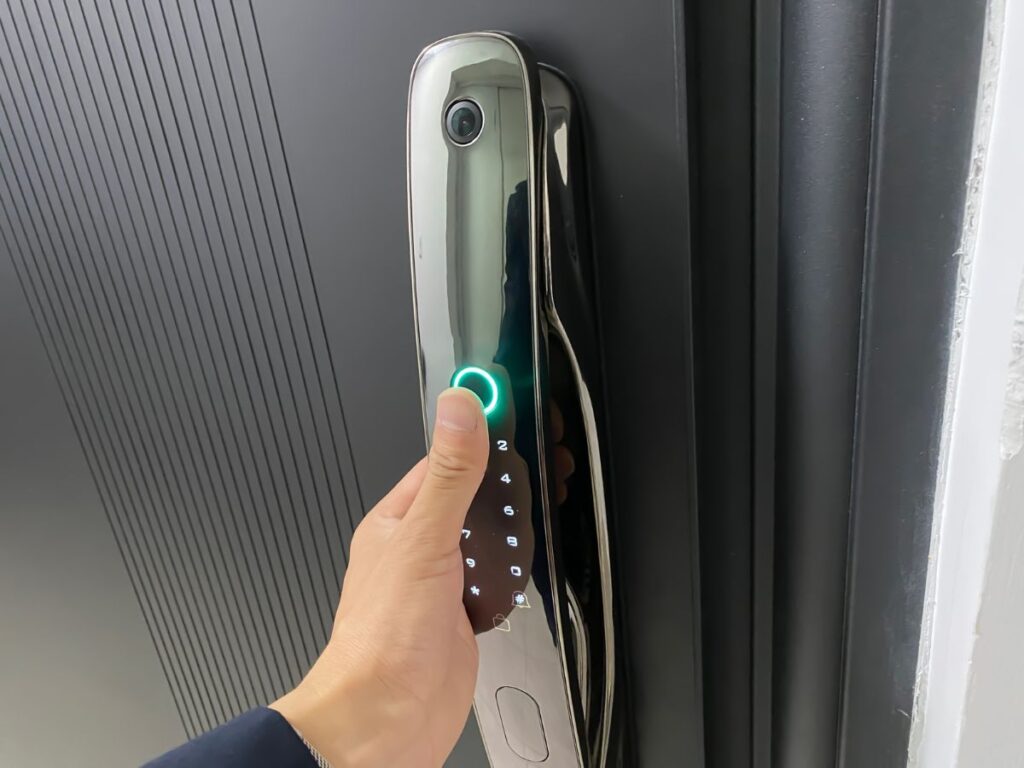
The most pervasive smart lock myth claims hackers can easily breach WiFi-enabled locks from anywhere in the world, unlocking your door from thousands of miles away.
The Myth’s Origin
This myth stems from several sources that create misleading impressions. Cybersecurity researchers occasionally demonstrate theoretical vulnerabilities in controlled laboratory conditions. Media coverage sensationalizes these demonstrations, often omitting crucial context about the difficulty and limitations of the attacks. Movies and television shows depict hackers accessing smart locks with a few keyboard strokes, creating unrealistic expectations of ease. These factors combine to create impressions that smart lock hacking is common and simple when reality is far more nuanced.
Real-world smart lock hacking is extraordinarily rare despite millions of smart locks installed in homes and businesses worldwide. Security researchers demonstrate vulnerabilities to improve products, not because these attacks happen frequently against actual homes. The difference between theoretical vulnerability and practical exploitation is enormous.
The Reality of Smart Lock Hacking
Actual remote hacking of quality smart locks requires capabilities far beyond typical burglars. Successful attacks require advanced technical knowledge of encryption protocols, network security, and specific lock firmware. Attackers need specialized equipment and software costing thousands of dollars. The time investment to execute successful hacks measures in hours or days of focused effort. Most importantly, far easier entry methods exist for criminals targeting homes.
Criminals follow the path of least resistance. Breaking a window takes seconds and requires no technical skill. Forcing doors through kick-in attacks takes seconds of physical force. Lock picking or bumping traditional locks requires moderate skill but no expensive equipment. Hacking smart locks requires advanced skills, expensive tools, and substantial time investment with no guarantee of success. Rational criminals choose easier methods.
Documented cases of successful smart lock hacking against occupied homes are virtually nonexistent. The security research demonstrating vulnerabilities happens in controlled laboratory settings where researchers have unlimited time, access to the specific lock models, and detailed knowledge of their internals. Real-world conditions are dramatically different from laboratory demonstrations.
Quality smart locks from established manufacturers implement robust security preventing easy remote compromise. Companies like Schlage, Yale, August, and Kwikset employ professional security teams who design products resisting common attacks. These manufacturers release firmware updates patching discovered vulnerabilities. The security posture of smart locks from reputable brands is strong, though not perfect—no security system is completely invulnerable.
What Actually Threatens Smart Lock Security
Genuine smart lock security threats differ significantly from the Hollywood hacking scenarios people fear. Weak user passwords represent the most common vulnerability. Using “1234” or “password” as your smart lock PIN or app password creates easy access for anyone who tries common codes. Default passwords that users never change create similar vulnerabilities. Strong unique passwords eliminate this common weakness.
Physical attacks against smart locks work similarly to attacks on traditional locks. Forced entry through kicking or prying affects smart locks and traditional locks identically. Lock bumping and picking work on the mechanical backup keys most smart locks include. Physical security remains crucial regardless of electronic features.
Social engineering attacks exploit human behavior rather than technical vulnerabilities. Phishing attempts try to steal your account credentials through fake emails or websites. Authorized users sharing access codes too freely create security holes. These human factor vulnerabilities affect all security systems, not just smart locks.
For Houston homeowners concerned about smart lock security, professional installation from CJS Locksmith ensures proper configuration and security settings maximizing protection.
Myth 2: “Traditional Locks Are Always More Secure Than Smart Locks”
Many people assume traditional mechanical deadbolts are inherently more secure than electronic smart locks, but this belief doesn’t match reality.
The Myth’s Appeal
Traditional lock security feels more tangible because mechanical systems seem simpler and more understandable. People can see and touch the metal bolt sliding into the strike plate. The lack of electronics means no concerns about hacking, software bugs, or connectivity issues. This tangible simplicity creates comfort suggesting traditional locks are more secure.
Decades or centuries of traditional lock use create familiarity breeding trust. Your grandparents used traditional locks without problems. Traditional locks protected homes before computers existed. This historical precedent suggests traditional locks must be adequate since they’ve been used successfully for so long.
The Reality of Traditional Lock Security
Traditional locks face significant vulnerabilities that smart locks either eliminate or mitigate. Lock picking has been practiced for centuries with tools and techniques readily available. Moderately skilled individuals can pick standard residential locks in seconds to minutes. Lock bumping uses specially cut keys to bypass pin tumbler mechanisms almost instantly with minimal skill required. Key bumping works on the vast majority of traditional residential deadbolts.
Physical key vulnerabilities create security problems smart locks don’t face. Keys can be copied without your knowledge at any hardware store or locksmith. Lost keys might be found by anyone and used if labeled with your address. Stolen keys grant immediate access until you rekey locks. Hidden spare keys under doormats or in fake rocks are regularly found by burglars who know where people typically hide them.
Traditional locks provide zero access control or tracking. You can’t track who entered when using traditional keys. You can’t revoke access without physically collecting keys or rekeying locks. You can’t create temporary access that expires automatically. You can’t receive notifications when doors unlock. These limitations make traditional locks less flexible and provide less security awareness than smart locks with logging capabilities.
Key management problems plague traditional lock security. Keeping track of who has keys becomes difficult over time. Former tenants, contractors, housekeepers, or house sitters who had keys years ago might still possess copies. You don’t know whether keys have been duplicated. The only way to ensure old keys don’t work is periodic rekeying, which most homeowners never do.
Smart Locks Offer Security Advantages
Smart locks eliminate or reduce several traditional lock vulnerabilities while introducing their own considerations. Access logging shows exactly who entered when, providing security awareness impossible with traditional keys. This audit trail helps identify unauthorized access attempts or patterns.
Instant access revocation allows deleting codes or credentials immediately when users no longer need access. No physical key collection or lock rekeying is required. This immediate revocation prevents the access persistence problems traditional keys create.
Temporary access codes can be created for contractors or guests with automatic expiration. You don’t need to coordinate key handoff and return. Codes simply stop working after the specified time, ensuring temporary access truly is temporary.
Strong authentication can require multiple factors including PIN codes plus smartphone presence or biometric verification plus codes. This multi-factor authentication provides security exceeding single-factor traditional keys.
Tamper alerts notify you if someone attempts to remove or force the lock. Smart locks can send notifications about suspicious activity including multiple failed unlock attempts or unusual access times. Traditional locks provide no such awareness.
The comparison isn’t “smart locks are perfectly secure while traditional locks are vulnerable” or vice versa. Both have strengths and weaknesses. Smart locks from quality manufacturers provide security equal to or exceeding traditional locks while offering additional features traditional locks can’t match.
For comprehensive security assessments comparing traditional and smart lock options, contact CJS Locksmith for expert consultation on the best security approach for your Houston home.
Myth 3: “Smart Locks Fail During Power Outages, Leaving You Locked Out”
Concerns about power outages rendering smart locks inoperable create anxiety about adopting electronic lock technology, particularly in Houston where weather events occasionally cause power disruptions.
Why This Myth Persists
Confusion between different types of electronic systems creates misunderstanding. Many people conflate smart locks with electronic access control systems used in commercial buildings. Office building electronic locks often do fail during power outages because they run on building electrical systems. This commercial experience creates false assumptions about residential smart locks.
The term “electronic lock” suggests dependence on electrical power. People reasonably assume electronic devices need constant electricity to function. This logical assumption happens to be incorrect for battery-powered smart locks but persists because the reasoning sounds plausible.
Early smart lock designs or poorly designed current models might have exhibited power-related problems, creating negative experiences that spread through word of mouth. While modern quality smart locks handle power reliably, past problems or current budget models with inadequate design continue fueling the myth.
How Smart Locks Actually Handle Power
Battery-powered smart locks operate completely independently of household electrical power. The lock contains internal batteries, typically four AA or AAA batteries. These batteries power all electronic components including the motor, circuit boards, wireless radios, and user interface. House power outages don’t affect battery-powered locks at all since they never relied on household electricity.
Smart lock battery life typically ranges from four to twelve months depending on usage frequency, wireless connectivity features, and battery quality. Locks provide low battery warnings weeks before batteries die completely. When warned, you simply replace batteries with fresh ones from any store. The multi-week warning period prevents surprise lockouts from dead batteries.
What happens if you ignore battery warnings and batteries die completely? Nearly all smart locks include mechanical backup keys allowing entry even with completely dead batteries. Hidden keyholes behind the exterior interface accept traditional keys. You use the mechanical key to unlock the door, then replace batteries from inside. The mechanical backup ensures you’re never completely locked out even if you neglect battery replacement.
Some premium smart locks offer hardwired power options connecting to household electrical systems. These hardwired models charge internal backup batteries from house power. During power outages, the backup batteries maintain lock operation. When power returns, the batteries recharge automatically. Even hardwired smart locks continue functioning during power outages through backup battery systems.
WiFi connectivity features might become unavailable during power outages if your internet router loses power, but the lock itself continues working. You can still unlock using keypads, fingerprint scanners, or smartphone apps via Bluetooth that doesn’t require internet. You lose only remote access features requiring internet, not basic lock operation.
The reality is smart locks are often more reliable during power outages than traditional electric garage door openers, WiFi thermostats, or other home automation that actually depends on household power. Smart locks run on batteries specifically to avoid power dependency.
Myth 4: “Anyone Can Hack Smart Locks With Cheap Devices”
Viral videos and sensational articles claim inexpensive devices can defeat smart lock security effortlessly, but these claims dramatically misrepresent reality.
The Source of This Myth
Security conference demonstrations showing researchers compromising smart locks with custom-built devices create alarming headlines. Media coverage rarely explains the extensive preparation, specific conditions, and unique circumstances required for these demonstrations. Viewers see only the successful compromise without understanding the context.
Early smart lock models from minor manufacturers had genuine vulnerabilities that cheap devices could exploit. These problems affected budget locks from unknown brands, not quality locks from established manufacturers. However, reports about vulnerable budget locks get generalized to all smart locks creating false impressions about quality products.
The existence of programmable devices like Flipper Zero that can interact with some electronic systems leads to exaggerated claims about their capabilities against modern smart locks. While these devices have legitimate security research and hobbyist applications, their actual effectiveness against quality smart locks is minimal despite social media claims suggesting otherwise.
What Cheap Hacking Attempts Actually Achieve
WiFi jamming devices can disrupt wireless signals but don’t provide access. Jammers prevent your phone from communicating with your lock via WiFi, but they don’t unlock the door. They create denial of service, not unauthorized access. You can still unlock using the keypad or mechanical key. The jammer provides no benefit to an intruder trying to enter.
Replay attacks attempting to capture and retransmit unlock signals fail against modern smart locks using rolling codes. Each unlock command includes a unique code that changes with every use. Captured signals become invalid immediately after use. Replaying a captured signal accomplishes nothing because the lock expects a different code each time.
Bluetooth signal injection attempting to send unlock commands to Bluetooth-enabled locks fails due to encryption and pairing requirements. The lock only responds to encrypted commands from paired, authorized devices. Random Bluetooth signals from unauthorized devices are ignored. Breaking the encryption requires computational resources far beyond cheap consumer devices.
Brute force attacks trying every possible PIN code face multiple protections. Locks implement lockout periods after several failed attempts, making exhaustive code testing impractically slow. Many locks implement increasing delays after each failed attempt. A four-digit PIN has 10,000 possible combinations. At even one attempt per minute with lockouts, testing all combinations takes days of continuous attempts that would be obviously suspicious.
Physical attacks using cheap tools work identically on smart locks and traditional locks. Lock picks costing $20 can compromise poorly made traditional locks and poorly made smart locks equally. The mechanical backup keys most smart locks include face the same picking and bumping vulnerabilities traditional locks face. Physical security depends on lock quality regardless of electronic features.
The reality is compromising quality smart locks from established manufacturers requires sophisticated equipment, advanced technical knowledge, and significant time investment—far beyond what cheap devices and unskilled attackers can achieve. The same types of attacks that work against budget smart locks also work against budget traditional locks.
For homeowners wanting maximum security and proper configuration, professional locksmith installation from CJS Locksmith ensures your smart lock is set up with strong security settings and proper physical installation.
Myth 5: “Smart Locks Drain Batteries So Fast They’re Impractical”
Concerns about frequent battery replacement create hesitation about smart lock adoption, with some believing batteries die weekly or monthly requiring constant maintenance.
Why Battery Concerns Seem Legitimate
Early smart lock generations genuinely had shorter battery life than current models. First-generation smart locks from a decade ago might have needed batteries every 2-3 months. These early problems created lasting impressions even though modern locks perform dramatically better.
Comparison with smartphone batteries creates false expectations. People experience smartphone batteries dying daily, requiring nightly charging. Assuming smart locks face similar battery drain seems logical but happens to be incorrect because smart locks use far less power than constantly-used smartphones.
WiFi connectivity features do consume more power than basic Bluetooth or non-connected locks. Understanding that WiFi models drain batteries faster than basic models gets misinterpreted as “all smart locks have terrible battery life” rather than “WiFi adds battery drain but life is still measured in months.”
Actual Smart Lock Battery Performance
Modern smart lock battery life varies by model and features but measures in months, not days or weeks. Basic keypad locks without wireless connectivity typically last 12-18 months on four AA batteries. Bluetooth-only smart locks commonly last 8-12 months on batteries. WiFi-enabled smart locks usually last 4-8 months with battery life depending partly on WiFi network distance and signal strength.
Usage frequency affects battery life but less dramatically than people assume. A heavily-used lock cycled multiple times daily still provides months of battery life. Light-use locks on rarely-used doors can last a year or more even with wireless features enabled. The power consumption per unlock is minimal compared to total battery capacity.
Battery replacement is simple and quick when needed. You remove the interior cover exposing the battery compartment. You swap old batteries for fresh batteries taking 30-60 seconds. You replace the cover. The entire process is simpler than replacing smoke detector batteries. Many users find battery replacement less burdensome than traditional lock maintenance like occasional lubrication.
Low battery warnings provide multi-week advance notice before batteries die. Smart locks monitor battery voltage and warn you weeks before power becomes insufficient for reliable operation. Smartphone apps notify you about low batteries. Some locks beep or flash lights indicating battery replacement time. This generous warning period prevents surprise lockouts from dead batteries.
Cost of battery replacement over the lock’s lifetime is minimal. Quality AA or AAA batteries cost $5-$10 for packs of four. Annual battery replacement costs $10-$20 yearly. Over a ten-year smart lock lifespan, total battery costs reach $100-$200. Compared to the convenience and features smart locks provide, this modest ongoing cost is trivial for most homeowners.
The reality is battery maintenance for smart locks requires less attention than many other aspects of home maintenance. Changing batteries 1-2 times per year is less frequent than changing HVAC filters, smoke detector batteries, or performing countless other routine home tasks. The “constant battery changes” myth dramatically overstates actual maintenance requirements.
Myth 6: “Smart Lock Apps Can Be Hacked to Unlock Doors”
Concerns about smartphone app security suggest that compromising your phone automatically grants access to your smart lock, but the reality is more nuanced.
Understanding App Security Threats
Smartphone malware is a legitimate concern in cybersecurity. Malicious apps or viruses can compromise phones, stealing data or enabling unauthorized access to accounts. This genuine threat creates logical concern about smart home apps including smart lock controls. However, understanding the actual attack requirements shows most fears are overblown.
Successful smart lock app compromise requires multiple conditions occurring simultaneously. The attacker must first compromise your phone with malware, which requires you to install malicious apps or click dangerous links. The malware must specifically target smart lock apps rather than being general malware. The malware must bypass app-level security protections manufacturers implement. The attacker must use the compromised access quickly before you notice suspicious phone behavior. This chain of required conditions makes successful attacks against careful users unlikely.
Smart Lock App Security Protections
Multi-factor authentication required by many smart lock apps adds security layers beyond just having the app installed. Even if someone has your phone, they need your PIN, password, or biometric authentication to unlock the phone itself. They need your smart lock app password if you’ve set app-level security. They might need two-factor authentication codes sent to other devices. These multiple barriers make unauthorized access difficult even with physical phone possession.
Encryption of communications between apps and locks protects unlock commands. The app doesn’t just send “unlock” in plain text that anyone could intercept and replicate. Commands are encrypted with keys only your phone and lock possess. Intercepting encrypted communications provides no useful information without breaking strong encryption, which is computationally infeasible with current technology.
Account security features help detect and prevent unauthorized access. Notifications alert you to new device logins. Suspicious activity triggers security checks. Failed login attempts can trigger account locks. You can remotely disable account access if your phone is lost or stolen. These active security measures provide protection beyond simple password entry.
Remote access requires internet connectivity, which can be monitored. Unusual unlock commands from unfamiliar locations trigger alerts. Access from multiple locations simultaneously indicates potential compromise. These contextual security checks help identify unauthorized access attempts.
Practical Security Steps
Securing your smart lock app requires basic smartphone security hygiene. Use strong unique passwords for your smart lock account, not passwords you use elsewhere. Enable two-factor authentication when available. Keep your phone’s operating system updated with latest security patches. Don’t install apps from untrusted sources. Use phone lock screens with PIN, password, or biometric security. These straightforward practices provide strong protection against app-based attacks.
The reality is smart lock app security is comparable to mobile banking app security. If you trust banking apps on your phone, smart lock apps from reputable manufacturers warrant similar trust. They employ similar security technologies and face similar threat landscapes. Millions of people use mobile banking without compromise, suggesting app-based security can be robust when properly implemented.
For Houston homeowners with security questions about app configuration and best practices, CJS Locksmith’s FAQ provides guidance on maximizing smart lock security.
Myth 7: “Smart Locks Are Too Complicated for Average Users”
The perception that smart locks require advanced technical knowledge prevents some people from considering them, but modern smart locks are designed for mainstream adoption.
Why Complexity Concerns Arise
Early smart lock setup processes genuinely were complex. First-generation smart locks from a decade ago required technical knowledge for installation and configuration. These early frustrations created lasting impressions about smart lock complexity even though products have evolved dramatically.
The impressive feature lists smart locks advertise make them sound complicated. Reading about smartphone integration, multiple authentication methods, automated routines, and platform compatibility creates the impression that managing all these features requires technical expertise. In reality, basic smart lock operation is straightforward even though advanced features exist for those wanting them.
Technical support horror stories from friends who struggled with smart lock setup spread through word of mouth. One person’s bad experience with a problematic lock or poor instructions becomes a cautionary tale about smart lock complexity. These anecdotes, while representing genuine problems some people face, don’t reflect the experience most users have with quality modern smart locks.
Modern Smart Lock Usability
Basic operation of smart locks is intuitive for most users. Keypad locks require entering a PIN code like ATMs or security systems. Fingerprint readers just need pressing your finger on the scanner. Smartphone unlocking involves tapping an unlock button in an app. These interactions are familiar from other technologies and require minimal learning.
Setup processes have been streamlined significantly. Modern smart locks provide step-by-step guided setup through smartphone apps. Video tutorials walk through each configuration step. Phone-based customer support helps troubleshoot issues during setup. The manufacturer’s goal is mainstream adoption, requiring setup processes that average users can complete successfully.
Advanced features remain optional for users wanting simplicity. You don’t need to configure smart home integrations to use smart locks. You don’t need to create complex automation routines. You don’t need to enable every feature. Smart locks work perfectly well as simple electronic locks with PIN entry, leaving advanced features unused. The complexity is available for those wanting it but not required for basic operation.
Physical installation has become easier with improved designs. Many smart locks are designed for DIY installation by average homeowners. Instructions include photos and diagrams. Some models include installation videos accessible by QR code. The tools required are typically just screwdrivers. Physical installation often proves easier than expected even for non-technical users.
Who Benefits Most From Smart Locks
Smart locks aren’t just for tech enthusiasts. Busy families benefit from keyless entry when hands are full of groceries. Elderly users who struggle with small keys find PIN entry or fingerprint scanning easier. Parents of teenagers appreciate not worrying about lost keys. Vacation home owners value remote access capability. Small business owners running home-based businesses need contractor access without distributing keys. These diverse users succeed with smart locks despite varying technical comfort levels.
The complexity perception is largely outdated, based on early smart lock generation experiences. Modern smart locks from established manufacturers are designed for mainstream users, not technology experts. While technical knowledge helps with advanced features, basic smart lock operation is accessible to anyone comfortable using smartphones or tablets.
For users concerned about setup complexity, professional installation from CJS Locksmith includes complete configuration, demonstration, and training ensuring you’re comfortable using your smart lock regardless of technical background.
Myth 8: “All Smart Locks Have the Same Security Level”
Treating all smart locks as interchangeable regarding security leads to poor purchasing decisions and unfair generalizations when problems arise with low-quality products.
Why This Myth Is Problematic
Budget smart locks from unknown manufacturers lack the security features and quality control that established brands provide. A $60 no-name smart lock from a questionable online retailer will have dramatically different security from a $350 Schlage or Yale lock backed by century-old lock manufacturing expertise. Treating these as equivalent causes problems.
When security researchers demonstrate vulnerabilities, they often test budget locks chosen specifically because they’re likely to have problems. Reports about compromised smart locks rarely distinguish between quality brands and cheap knockoffs. Readers assume the demonstrated vulnerabilities apply to all smart locks when they might only affect inferior products.
Security Differentiators Among Smart Locks
Encryption strength varies significantly between smart lock brands. Quality manufacturers use AES 256-bit encryption, the strongest commercially practical encryption standard. Budget manufacturers might use weaker encryption or implement strong encryption incorrectly. The encryption specification matters less than proper implementation by competent engineers.
Physical lock quality varies as dramatically as traditional lock quality. ANSI Grade 1 smart locks from Schlage or Yale use commercial-grade components and construction. Budget smart locks might use lightweight materials, poor quality bolts, and inadequate strike plates. The electronic features don’t matter if the physical lock can be defeated easily.
Security testing and certification from independent labs distinguishes quality products. Locks from established manufacturers undergo UL testing, ANSI grading, and platform certifications from Apple, Google, or Amazon. Budget locks often lack third-party testing and rely only on manufacturer claims. Independent verification matters when evaluating security.
Firmware updates and long-term support separate quality manufacturers from budget brands. Schlage, Yale, August, and other established brands release firmware updates fixing discovered vulnerabilities. They provide customer support helping secure products properly. Unknown manufacturers often provide zero post-sale support, leaving vulnerabilities unpatched.
Privacy policies and data practices vary between manufacturers. Quality brands commit to not selling user data or respecting privacy. Some budget brands have unclear privacy policies suggesting data might be monetized. Where and how your unlock data is stored matters for privacy-conscious users.
Making Security-Conscious Choices
Research manufacturer reputation before purchasing. Look for established lock manufacturers with decades of experience. Check whether the company specializes in security products or is a general electronics brand adding locks as an afterthought. Review security researcher reports specifically about brands you’re considering.
Prioritize brands offering security certifications and standards compliance. ANSI Grade 1 or 2 ratings indicate proper physical security. Platform certifications from Apple, Google, or Amazon indicate security review by major technology companies. UL listing provides independent safety and security verification.
Accept that quality smart locks cost more than budget models for good reasons. Premium pricing from established brands reflects better materials, proper engineering, security testing, customer support, and warranty backing. The extra $100-$200 for quality locks provides substantial security improvements over budget alternatives.
For guidance selecting appropriate smart locks meeting strong security standards for Houston homes, consult with CJS Locksmith’s experienced residential security experts who work with quality manufacturers and understand product differences.
Real Smart Lock Security Best Practices
Moving beyond myths to practical security requires understanding legitimate best practices that actually improve smart lock security.
Strong Authentication and Password Management
Use strong unique passwords for smart lock accounts and smartphone apps. Passwords should be 12+ characters combining letters, numbers, and symbols. Never reuse passwords from other accounts. Password managers help generate and store strong unique passwords. This basic practice prevents the most common security breaches.
Enable two-factor authentication wherever available. Many smart lock manufacturers offer 2FA requiring both your password and a code from another device. This additional layer prevents account compromise even if someone obtains your password. The minor inconvenience during login provides major security benefits.
Create complex PIN codes for keypad locks, avoiding obvious patterns. Don’t use 1234, 0000, repeating digits, or birthdays. Use random numbers that aren’t personally associated with you. Change default codes immediately after installation. Consider changing codes periodically for maximum security.
Assign unique codes to different users for tracking purposes. Give each family member individual PIN codes rather than sharing one code. This enables access logs to show who entered when. You can revoke specific codes without affecting other users when someone no longer needs access.
Network Security for WiFi-Enabled Locks
Secure your home WiFi network properly since WiFi locks depend on network security. Use WPA3 encryption on your router if available, or WPA2 at minimum. Change your router’s default admin password immediately. Keep router firmware updated with latest security patches. These router security practices protect all connected devices including smart locks.
Create a separate guest network for smart home devices if your router supports this feature. Some security experts recommend isolating smart home devices from computers and phones containing sensitive personal data. Guest network isolation limits potential damage if a smart home device is compromised.
Position your router to provide strong WiFi signal to door locks. Weak signals require locks to boost transmission power, draining batteries faster. Strong signals enable reliable connectivity and better battery life. If signal is weak at entry doors, consider WiFi extenders or mesh network systems.
Regular Maintenance and Monitoring
Check and replace batteries proactively rather than waiting for low battery warnings. Replace batteries every six months on a schedule rather than waiting until they’re low. Fresh batteries ensure reliable operation and prevent the inconvenience of unexpected battery death.
Review access logs periodically to monitor for unusual activity. Smart locks with logging capability show when the door was unlocked and which method was used. Check logs weekly or monthly looking for unexpected access times or failed unlock attempts. This monitoring helps identify potential security issues early.
Update firmware whenever manufacturers release new versions. Firmware updates fix security vulnerabilities and improve functionality. Enable automatic updates if available, or check manually every few months. Staying current with firmware provides the best security posture.
Test all unlock methods regularly to ensure they work properly. Verify keypad entry, smartphone app unlock, fingerprint recognition, and mechanical backup key access. Regular testing identifies problems before you depend on specific unlock methods in urgent situations.
Physical Security Remains Important
Install smart locks on solid core doors with reinforced frames. The best smart lock can’t compensate for weak doors that can be kicked in easily. Invest in door and frame reinforcement if necessary. Physical security provides the foundation that electronic features enhance.
Use proper strike plates with long screws penetrating wall studs. The bolt from your lock is only as strong as the strike plate it engages. Three-inch screws reaching through the frame into studs provide strong resistance to forced entry. Professional installation ensures proper strike plate installation.
Consider adding security cameras or video doorbells for visual verification. Cameras provide visual confirmation of who’s at your door. Combined with smart locks, cameras create comprehensive access security showing both who unlocked the door and visual recording of the person. This combination provides security awareness beyond either technology alone.
For complete security assessments ensuring all components work together properly, CJS Locksmith provides residential security consulting examining physical and electronic security comprehensively.
When to Choose Smart Locks vs. Traditional Locks
Understanding myths helps evaluate smart locks fairly, but choosing between smart and traditional locks requires honest assessment of your priorities.
Smart Locks Make Sense When You…
Value keyless convenience and are tired of carrying and managing physical keys. Smart locks eliminate key hassles through PIN codes, fingerprint scanning, or smartphone access. If key management frustrates you, smart locks provide genuine relief.
Need flexible access management for guests, contractors, or service providers. Creating and deleting temporary access codes remotely is dramatically easier than coordinating physical keys. If you frequently manage temporary access, smart locks save substantial time and hassle.
Want access logs showing who entered when. If knowing when family members arrive home or verifying contractor access matters, smart lock logging provides awareness traditional locks can’t match. This monitoring capability benefits both security and family coordination.
Embrace smart home technology and want integrated systems. If you already use Alexa, Google Assistant, or Apple HomeKit, smart locks integrate seamlessly. Door lock status can trigger other smart devices creating automated scenes. Smart home enthusiasts benefit from comprehensive integration.
Are comfortable with technology and don’t mind occasional troubleshooting. Smart locks occasionally require technical problem-solving. If you successfully manage other smart home devices and aren’t intimidated by troubleshooting, smart locks will fit your technical comfort level.
Traditional Locks Make Sense When You…
Prioritize simplicity and want minimal complexity. Traditional locks require no apps, no network connectivity, no battery maintenance, and no technical knowledge. If simplicity is your priority, traditional quality deadbolts serve well.
Have limited budget and want lowest upfront cost. Quality traditional deadbolts cost $40-$100 versus $150-$400 for smart locks. If budget constraints matter significantly, traditional locks provide good security at lower cost.
Rarely need to grant temporary access to others. If you don’t have contractors, guests, or service providers requiring access, smart lock access management features provide limited value. Traditional locks serve homes without frequent visitor access needs.
Are uncomfortable with technology and don’t want device management. If smartphones, apps, and WiFi connectivity create frustration rather than convenience, traditional locks eliminate technology complexity entirely. Not everyone enjoys managing electronic devices.
Distrust connected devices and prioritize physical-only security. Some people prefer mechanical systems without electronic vulnerability points. While modern smart lock security is strong, traditional locks eliminate electronic attack surfaces entirely. This physical-only security appeals to some users.
For honest recommendations based on your specific situation rather than product sales, CJS Locksmith provides objective consultation helping you choose the security approach that truly fits your needs.
CJS Locksmith: Expert Smart Lock Installation and Security
CJS Locksmith provides professional smart lock installation, configuration, and security consultation throughout Houston, combining traditional locksmith expertise with modern electronic security knowledge.
Honest Security Assessments
CJS Locksmith offers objective security assessments not tied to product sales. The evaluation examines your home’s specific security needs, your household composition and lifestyle, your technical comfort level, and your budget constraints. Recommendations prioritize your actual needs over selling expensive products you don’t need.
Security consultations compare smart locks and traditional locks fairly. Locksmiths explain genuine advantages and limitations of each approach. They identify situations where smart locks provide significant benefits and situations where traditional locks serve perfectly well. This balanced perspective helps you make informed decisions rather than following myths or marketing.
Product recommendations from CJS Locksmith focus on quality manufacturers with proven security track records. Recommendations include established brands like Schlage, Yale, Kwikset, and August. Locksmiths warn against budget smart locks from unknown manufacturers that sacrifice security for low prices. Quality-focused recommendations ensure your security investment performs reliably.
Professional Installation Ensuring Security
Proper installation significantly affects smart lock security. CJS Locksmith ensures physical installation follows security best practices including solid mounting preventing tamper attempts, proper strike plate installation with long screws into studs, door and frame assessment identifying security weaknesses, and alignment verification ensuring smooth operation without motor strain.
Digital configuration during installation sets strong security foundations. Professional setup includes changing all default passwords and codes, configuring strong unique administrative credentials, enabling two-factor authentication when available, setting up proper notification preferences, and testing all authentication methods thoroughly.
Integration with existing security systems when requested ensures comprehensive protection. Smart locks can integrate with alarm systems, cameras, and other security components. Professional installation ensures these integrations work properly rather than creating security gaps through misconfiguration.
Ongoing Security Support
CJS Locksmith provides security support beyond initial installation. Firmware updates can be handled during maintenance visits. Security assessments after major security news identifies whether your locks are affected. Emergency locksmith services respond rapidly when security concerns arise requiring immediate attention.
Training and education helps you use smart locks securely. Locksmiths explain security best practices for password management, access code policies, and account security. They demonstrate proper operation ensuring you understand all features. Education empowers you to maintain security rather than depending solely on professional support.
Repair services address both physical and electronic problems. Lock mechanisms receive maintenance or repair when needed. Electronic issues are diagnosed and resolved. CJS Locksmith troubleshoots problems with both traditional locksmith skills and modern electronics knowledge.
Frequently Asked Questions
Are smart locks actually safer than traditional locks? Smart locks from quality manufacturers provide security equal to or exceeding traditional locks. They use the same physical deadbolts as traditional locks plus electronic security layers. Smart locks offer access logging, instant access revocation, and temporary codes—features traditional locks can’t provide. Both lock types have vulnerabilities; neither is inherently safer. Security depends on lock quality and proper use regardless of type.
Can someone really hack my smart lock from across the country? Remote hacking of quality smart locks is extremely difficult and virtually never happens in real-world residential applications. While theoretical vulnerabilities occasionally exist, exploiting them requires advanced skills, expensive equipment, and substantial time investment. Physical entry methods like breaking windows or forcing doors are far easier for criminals than remote hacking attempts.
Do I need to worry about smart lock batteries dying unexpectedly? No, modern smart locks provide multi-week low battery warnings before batteries die. You receive notifications through smartphone apps, beeping alerts, or flashing lights. Most smart locks include mechanical backup keys allowing entry even with completely dead batteries. Proactive battery replacement every 6-12 months prevents battery death from ever occurring.
Are smart locks too complicated for non-technical people? Modern smart locks are designed for mainstream users, not technology experts. Basic operation requires entering PIN codes or pressing fingerprint scanners—simple actions requiring minimal technical knowledge. Setup has been streamlined with guided app processes. Professional installation from CJS Locksmith includes complete configuration and training ensuring users of all technical levels can operate their locks confidently.
What happens to smart locks during power outages? Battery-powered smart locks continue working normally during power outages because they run on internal batteries, not household electrical power. WiFi remote access features might be unavailable if your internet router loses power, but local unlock methods including keypads, fingerprint scanners, and Bluetooth smartphone access continue functioning normally.
Should I trust smart locks from companies I haven’t heard of? No, stick with established lock manufacturers with proven security track records. Companies like Schlage, Yale, Kwikset, and August have decades of lock security expertise. Unknown manufacturers often use inferior materials, inadequate security testing, and provide no long-term support. The money saved on budget smart locks isn’t worth the security compromises and reliability problems they create.
Making Informed Smart Lock Security Decisions
Smart lock security myths prevent many Houston homeowners from adopting genuinely secure, convenient technology. Understanding the difference between legitimate security concerns and exaggerated fears enables informed decisions based on facts rather than misconceptions.
Smart locks from quality manufacturers provide strong security when properly configured and installed. They’re not perfectly invulnerable—no security system is—but they’re far more secure than myths suggest. The genuine security considerations like strong passwords and proper network security are manageable with basic security practices.
CJS Locksmith provides expert smart lock security consultation, installation, and support throughout Houston, helping you separate myths from facts and choose security solutions appropriate for your actual needs rather than imagined threats.
Contact CJS Locksmith for Smart Lock Security Expertise
Get honest security assessments and expert installation from professionals who understand both traditional and modern lock security. Contact CJS Locksmith today to discuss your security needs and concerns.
Service Areas: Houston and surrounding areas
Residential Locksmith Services – Security Expertise
Commercial Locksmith Services
Emergency Locksmith Services
Automotive Locksmith Services
FAQ
Professional locksmith in Houston. CJS Locksmith—expert security guidance separating smart lock myths from facts and ensuring proper installation for maximum protection.Need other locksmith services? CJS provides emergency locksmith services, automotive locksmith services, and commercial locksmith services throughout Houston.