
You’re ready to upgrade to a smart lock for your Houston home. You’ve decided keyless entry and remote access are worth the investment. Now you’re staring at dozens of options on Amazon and at Home Depot wondering which one actually works well in Houston’s heat and humidity.
One model has 4.5 stars but half the reviews mention failed motors after six months. Another looks perfect until you read it requires a separate hub you don’t have. A third seems great but costs $500 and you’re not sure if the premium features justify double the price.
Here’s what makes choosing a smart lock challenging: the market is flooded with options ranging from $150 to $600, each claiming to be the best. Features vary wildly from basic keypad entry to fingerprint scanners, built-in cameras, and integration with every smart home platform imaginable. Some are perfect for Houston’s climate while others fail within months of our sweltering summers.
You need guidance that cuts through marketing hype and tells you which smart locks actually perform well in Houston conditions, which features matter for your specific situation, and which options offer the best value at different price points.
This guide provides exactly that: comprehensive reviews of the best smart locks for Houston homeowners in 2026, organized by price range and use case, with honest assessments of strengths and weaknesses, Houston climate considerations, and professional installation guidance from CJS Locksmith.
What Makes a Smart Lock “Best” for Houston Homes?
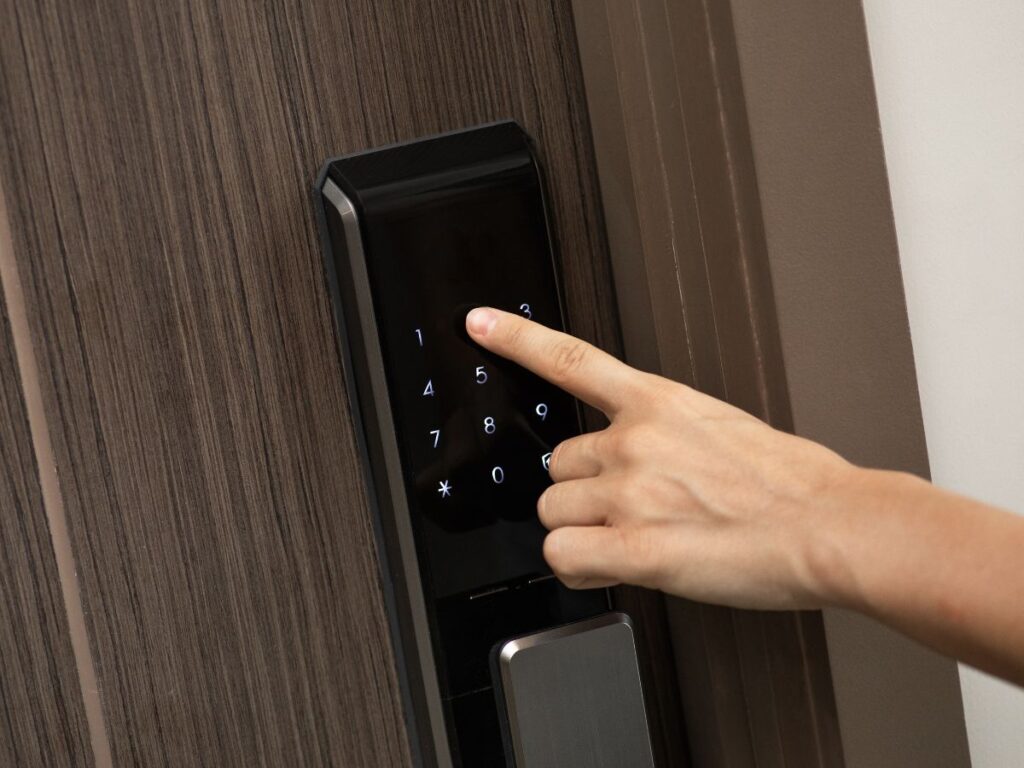
Before diving into specific models, understand what criteria actually matter for Houston homeowners rather than generic national reviews.
Houston Climate Compatibility
Houston’s brutal summer heat and high humidity create challenging conditions for electronic devices. Smart locks contain circuit boards, motors, and batteries that all perform differently in extreme temperatures. The best smart locks for Houston must handle temperatures regularly exceeding 100°F in direct sun on south-facing doors, maintain consistent performance in 80-90% humidity that persists for months, resist moisture infiltration that causes corrosion and electronic failures, and operate reliably when temperature swings occur during our occasional winter freezes.
Many smart locks perform perfectly in moderate climates but struggle in Houston. Motors slow down or jam in extreme heat. Batteries drain faster in high temperatures. Moisture seeps into supposedly weatherproof housings. Electronics fail prematurely from constant thermal stress. When evaluating smart locks for Houston, climate resilience isn’t optional—it’s essential.
Security Features That Actually Matter
Marketing materials tout impressive-sounding security features, but some matter more than others for real-world home security. Encryption standards for wireless communication should use AES 128-bit or 256-bit encryption to prevent signal interception. Two-factor authentication adds a critical security layer for WiFi-enabled locks. Auto-lock functionality ensures doors lock automatically after a set time, eliminating human error of forgetting to lock up. Tamper alarms detect when someone tries to remove or force the lock. Forced entry detection senses unusual pressure or repeated failed entry attempts.
What doesn’t matter as much as you’d think? Fancy mobile app interfaces with unnecessary features, multiple unlock methods you’ll never actually use, or integration with obscure smart home platforms you don’t own. Focus on core security features that protect your home rather than marketing gimmicks.
Reliability and Brand Reputation
A smart lock from an unknown brand might cost half as much as a name brand, but reliability problems cost far more than initial savings. Established brands like August, Yale, Schlage, and Kwikset have years of smart lock development experience. They offer consistent firmware updates fixing bugs and security vulnerabilities, responsive customer support when problems arise, replacement parts availability for repairs, and proven track records with thousands of installations providing real-world reliability data.
Lesser-known brands sometimes deliver excellent products, but they also sometimes disappear entirely, leaving you with an orphaned device that receives no support or updates. When choosing a smart lock—a device you depend on daily for home security—brand reliability matters significantly.
Integration with Your Existing Setup
The best smart lock for you depends partly on what you already own. If you have an iPhone and use Apple HomeKit extensively, a HomeKit-compatible lock provides seamless integration. If you’ve invested in Amazon Alexa throughout your home, prioritize locks that work smoothly with Alexa. If you’re building a comprehensive smart home with a Samsung SmartThings hub, Z-Wave compatibility matters.
However, don’t buy a lock solely for one platform if you might switch later. The most versatile locks support multiple platforms including Amazon Alexa, Google Assistant, Apple HomeKit, and Samsung SmartThings. This multi-platform compatibility protects your investment if you change smart home ecosystems later.
Budget-Friendly Smart Locks ($150-$250): Best Value Options
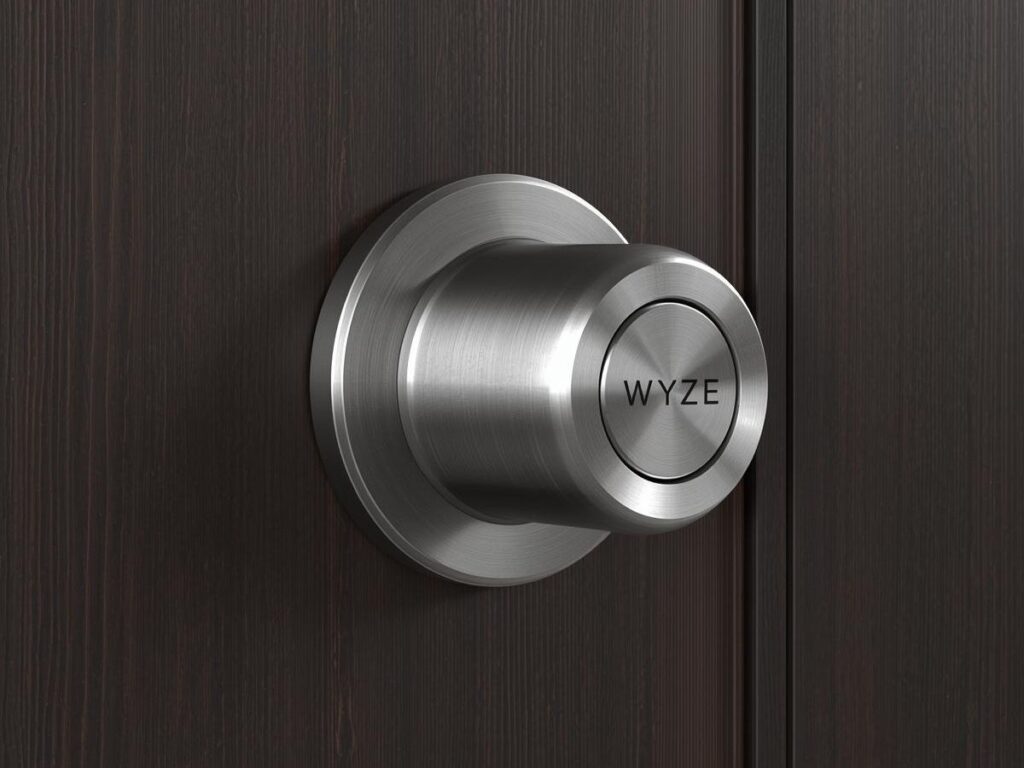
You don’t need to spend $400-$600 for a capable smart lock. These budget-friendly options deliver solid performance at more accessible prices.
Wyze Lock Bolt ($150-$180)
The Wyze Lock Bolt represents exceptional value for budget-conscious Houston homeowners. This Bluetooth-enabled keypad lock offers simple installation replacing your existing deadbolt in about 15 minutes with just a screwdriver. You don’t need a separate hub or complex setup—just the Wyze app on your smartphone. The auto-unlock feature detects when you approach and unlocks automatically, while auto-lock ensures the door secures after you enter. You can create unlimited guest access codes with custom schedules and track entry history through the app.
For Houston conditions, the Wyze Lock Bolt performs reasonably well though it’s not designed for extreme outdoor exposure. Use it on covered entries or doors not facing direct afternoon sun. Battery life runs about six months under normal use, though Houston heat shortens this slightly. The fingerprint reader on the keypad works quickly and reliably for daily family use.
The limitations are worth noting. Bluetooth-only means no remote access—you can’t unlock from work if a contractor arrives early. No WiFi connectivity limits smart home integration. The lock works with Alexa for voice control only when your phone is nearby via Bluetooth. For basic keyless entry and family access codes, it delivers well at a budget price.
Best for renters or homeowners wanting simple keyless entry without complex smart home integration, families needing multiple access codes for kids and caregivers, and budget-conscious buyers prioritizing value over premium features.
Eufy Security Smart Lock Touch & WiFi ($200-$230)
The Eufy Smart Lock Touch provides impressive features at a mid-budget price point. The built-in fingerprint sensor accommodates up to 50 different fingerprints, making it ideal for larger families or small businesses. WiFi connectivity enables remote lock and unlock from anywhere, checking lock status when you’re away, and receiving real-time notifications of lock activity. The accompanying app allows creating temporary access codes for guests with specific time limits.
Houston performance is solid with weather-resistant construction rated for outdoor use. The lock handles our humidity and heat reasonably well when properly installed on covered doors. The rechargeable battery lasts 3-6 months depending on usage frequency and temperature, with USB-C charging taking about 4-5 hours.
The fingerprint sensor works well in most conditions, though occasional failures occur in very high humidity or when fingers are wet from Houston’s afternoon thunderstorms. Keep the backup mechanical key accessible for these rare situations. The lock integrates with Amazon Alexa and Google Assistant for voice control and basic automation.
Limitations include slightly slower motor operation compared to premium locks, occasional connectivity glitches requiring app reinstallation, and plastic components that feel less substantial than all-metal locks. However, for the price point, it delivers excellent value.
Best for tech-comfortable families wanting both keyless entry and remote access, homes with multiple users needing individual access methods, and budget buyers willing to accept minor compromises for significant savings.
Mid-Range Smart Locks ($250-$350): Best Balance of Features and Price
This price range offers the best balance of features, reliability, and cost for most Houston homeowners.
August Wi-Fi Smart Lock (4th Generation) ($250-$280)
August pioneered the retrofit smart lock concept and the 4th generation Wi-Fi model represents their most refined product. The brilliance of August’s design is that it installs on your door’s interior side, leaving your existing deadbolt and keys functional from the outside. Installation takes about 10 minutes using the included DoorSense sensor, which detects whether your door is actually closed and locked—a feature most competitors lack.
Built-in WiFi eliminates the need for a separate bridge or hub. You can lock and unlock remotely from anywhere, receive notifications when specific people arrive home through phone detection, create unlimited guest access with scheduled expiration, and integrate seamlessly with Amazon Alexa, Google Assistant, Apple HomeKit, and Samsung SmartThings. The auto-unlock feature uses your phone’s location to unlock as you approach, while auto-lock secures the door after it closes.
For Houston installation, August locks perform exceptionally well because they’re entirely interior-mounted away from direct heat and humidity exposure. Your existing outdoor deadbolt faces the elements while the electronics stay protected inside. This design choice significantly improves longevity in Houston’s challenging climate. Battery life runs 4-6 months on four AA batteries with typical use.
The DoorSense sensor is genuinely useful in Houston where doors sometimes swell in humidity and don’t close completely. The sensor alerts you if the door is open when you think it’s locked—preventing the common mistake of a door appearing closed while the latch isn’t actually engaged.
Limitations include requiring your existing deadbolt to remain functional, which means if your current deadbolt is worn or poor quality, you should replace it first. The retrofit design looks somewhat bulky on your door’s interior compared to integrated smart locks. The lock occasionally loses WiFi connection requiring a restart, though this happens infrequently.
Best for homeowners wanting to keep their existing deadbolt and keys, renters who can’t replace door hardware permanently, and families wanting comprehensive smart home integration with major platforms.
Yale Assure Lock 2 with Wi-Fi ($280-$320)
Yale’s Assure Lock 2 with integrated WiFi delivers premium features at a mid-range price. This complete lock replacement offers a sleek touchscreen keypad on the exterior with no visible keyhole, creating a modern, clean aesthetic. The capacitive touchscreen responds quickly to touch with haptic feedback confirming each button press. You can program up to 25 unique PIN codes for family, friends, and service providers with optional scheduling for each code.
Built-in WiFi enables remote access without additional hardware. The Yale Access app provides lock and unlock from anywhere, real-time activity monitoring showing exactly who entered when, and customizable notifications for specific events. Integration spans Amazon Alexa, Google Assistant, Apple HomeKit, and Samsung SmartThings with reliable performance across all platforms.
Houston climate compatibility is excellent with weather-resistant construction designed for outdoor exposure. The capacitive touchscreen functions reliably in our humidity and heat, though direct afternoon sun on south or west-facing doors can make the surface extremely hot to touch—not a functional problem but temporarily uncomfortable. Battery life ranges from 6-12 months on four AA batteries depending on usage frequency and WiFi activity.
The privacy mode feature allows you to require pressing the Yale logo before entering your code, preventing someone from watching over your shoulder to learn your PIN. The tamper alarm alerts you via app if someone attempts to remove or damage the lock. The one-touch locking button on the interior provides quick exit without entering codes.
Limitations include the higher price point compared to basic smart locks, the capacitive touchscreen being more expensive to replace if damaged compared to physical buttons, and the lack of a traditional keyhole requiring you to remember PIN codes or use the app (though backup mechanical keys are included).
Best for homeowners wanting a sleek, modern appearance without visible keyholes, families needing multiple user codes with individual tracking, and smart home enthusiasts wanting reliable multi-platform integration.
Premium Smart Locks ($350-$500): Top-Tier Performance
When you want the best performance, features, and reliability, these premium options deliver exceptional value for the investment.
Schlage Encode Plus ($350-$400)
Schlage brings over a century of lock-making expertise to their premium Encode Plus smart lock. The built-in WiFi and Bluetooth connectivity provides flexibility for both remote access and local control. The backlit touchscreen keypad with physical buttons works reliably in all conditions—a significant advantage over capacitive touchscreens in Houston’s extreme heat and humidity.
The lock accommodates up to 100 unique access codes with detailed scheduling options for each code. You can set codes to work only on specific days or during certain hours—perfect for housekeepers, dog walkers, or contractors who need access at scheduled times. The built-in alarm technology includes three alert modes detecting tampering, forced entry attempts, and unusual activity.
What sets Schlage apart is the robust construction using commercial-grade materials. The lock features a Grade 1 security rating—the highest available for residential locks—with a solid metal construction throughout. The motor and mechanisms are built to withstand hundreds of thousands of operations, far exceeding typical smart lock durability. For Houston conditions, this commercial-grade construction handles our climate far better than consumer-grade competitors.
The Schlage Home app provides intuitive management of codes, scheduling, and notifications. Integration works smoothly with Amazon Alexa, Google Assistant, and Apple HomeKit through the Schlage Home Key feature that allows unlocking with just your iPhone or Apple Watch—no app opening required. Battery life reaches 8-12 months on four AA batteries, among the longest in the industry.
The built-in alarm is genuinely useful rather than a gimmick. It detects vibration patterns indicating forced entry attempts and sounds a 90-decibel alarm while sending notifications to your phone. This dual-layer protection adds real security value beyond simple access control.
Limitations are minimal at this price point. The lock is larger and bulkier than some competitors due to the robust construction—a tradeoff between durability and aesthetics. Initial setup takes slightly longer due to more configuration options. The lock is definitely at the higher end of the price range for features that some homeowners might not fully utilize.
Best for homeowners prioritizing maximum security and durability, families with complex scheduling needs for multiple users, and those wanting commercial-grade reliability in residential applications.
Lockly Vision Elite ($400-$450)
The Lockly Vision Elite combines smart lock functionality with a built-in video doorbell, creating an integrated security solution. The 1080p HD camera with night vision lets you see who’s at the door through the Lockly app, communicate via two-way audio, and record video when motion is detected or the doorbell rings. This integrated approach eliminates the need for a separate doorbell camera.
The lock features Lockly’s unique PIN Genie digital keypad with anti-peep technology. The numbers display in random positions each time, preventing someone from learning your code by watching which physical locations you touch. The offline access codes work even without WiFi, while the fingerprint sensor accommodates up to 99 different fingerprints. You can create unlimited eKeys for guests with custom expiration dates and times.
For Houston homeowners, the built-in camera provides particular value for package security and monitoring unexpected visitors. The weather-resistant construction handles our climate well, though the camera requires hardwiring or frequent battery changes in models without doorbell wiring. The lock portion runs on batteries lasting 4-6 months, while the camera drains power more quickly requiring either hardwired power or rechargeable battery replacement every 2-4 months.
The 3D fingerprint sensor is among the most accurate available, using three-dimensional mapping to prevent spoofing with photos or copied prints. The sensor works reliably in Houston humidity, unlike some optical sensors that struggle with moisture.
Cloud storage for video recordings requires a subscription at $3-$10 monthly depending on storage duration and features selected. Without subscription, you get basic doorbell and lock functionality but lose video recording history.
Limitations include the higher price point and ongoing subscription costs for full features, larger size due to integrated camera making installation challenging on some doors, and more complex setup due to camera configuration beyond typical smart lock installation.
Best for homeowners wanting integrated doorbell and lock functionality, security-conscious buyers prioritizing video verification of visitors, and those willing to pay premium prices for comprehensive access control and monitoring.
Specialized Smart Locks for Specific Needs
Some smart locks excel at particular use cases beyond general residential security.
Ultraloq U-Bolt Pro WiFi ($200-$250) – Best for Multiple Entry Methods
The Ultraloq U-Bolt Pro provides six different ways to unlock including fingerprint sensor, keypad with PIN codes, smartphone app via WiFi, Bluetooth, mechanical key backup, and auto-unlock via phone proximity. This redundancy ensures you always have an access method available regardless of dead phone batteries, forgotten codes, or wet fingers.
The fingerprint sensor accommodates up to 95 different fingerprints with quick 0.5-second recognition speed. The weatherproof keypad functions reliably in all Houston conditions. The built-in WiFi enables remote access without additional bridges. Battery life reaches 8-12 months on four AA batteries.
Best for families wanting maximum flexibility in access methods, elderly users who struggle with phone apps but can use fingerprints, and homeowners wanting extensive backup options.
Level Lock+ ($330-$370) – Best Invisible Smart Lock
The Level Lock+ represents the ultimate in invisible smart lock design. It fits entirely within a standard door preparation with no visible smart lock features from either side—it looks exactly like a traditional deadbolt with a regular keyhole. Only the subtle Apple Home Key logo hints at smart functionality.
The lock works with Apple HomeKit exclusively, using your iPhone or Apple Watch as the key. Simply hold your device near the lock and it unlocks via NFC—no app opening required. The Level app provides remote access when connected to WiFi via a separate Level Link bridge.
For Houston aesthetic-conscious homeowners, the invisible design prevents the “smart home billboard” appearance that some find unappealing. The completely hidden electronics never face external elements, protecting them from Houston’s climate. Battery life reaches 12+ months on a single CR2 battery.
Best for Apple ecosystem users with iPhones and Apple Watches, homeowners prioritizing aesthetics over extensive features, and those wanting smart functionality without visible smart hardware.
Installation Considerations for Houston Homes
Proper installation significantly affects smart lock performance and longevity in Houston’s challenging climate.
Door Preparation and Compatibility
Smart locks require specific door thickness typically 1-3/8 to 2 inches, standard deadbolt bore holes with 2-1/8 inch diameter cylinder hole and 1-inch bore for the deadbolt, and proper door and frame alignment ensuring doors close and latch smoothly without force. Houston’s humidity causes doors to swell, and frames to shift over time. A smart lock motor struggles with misaligned doors that require force to close. Address alignment issues before installing smart locks.
Most smart locks replace standard deadbolts directly, but some retrofit models like August attach to existing deadbolts. Verify compatibility with your current setup before purchasing. Doors with decorative glass, multiple-point locking systems, or non-standard preparations may require custom solutions.
Weather Protection for Houston Climate
Smart locks mounted on exterior-facing doors need additional weather protection in Houston. Even weather-rated locks benefit from covered entry protection, with porch or awning coverage reducing direct sun and rain exposure. Apply dielectric grease on exposed metal contacts to prevent corrosion from humidity. Install rubber weatherstripping around the lock mechanism to reduce moisture infiltration. Consider door placement when selecting locks—covered entries tolerate any smart lock while south or west-facing doors in direct sun require premium weather-rated models.
Professional vs. DIY Installation
Most battery-powered smart locks installing in standard deadbolt preparations are DIY-friendly for homeowners comfortable with basic tools. Manufacturers provide detailed instructions, video tutorials, and phone support. Installation typically takes 15-45 minutes depending on the model and your experience.
However, professional installation makes sense for hardwired smart locks requiring electrical connections, doors with non-standard preparations or complications, smart locks integrating with existing security systems, and homeowners uncomfortable with tools or technical setup. CJS Locksmith provides professional smart lock installation throughout Houston, ensuring proper physical installation and complete digital configuration.
Smart Lock Features Explained: What You Actually Need
Marketing materials tout dozens of features, but understanding which ones provide real value helps you choose wisely.
Essential Features Worth Having
Auto-lock functionality ensures your door locks automatically after a set time period, eliminating the common mistake of leaving doors unlocked when you think they’re secured. This simple feature adds significant real-world security value. Customizable notifications alert you to specific events you care about including when kids arrive home from school, when doors unlock at unexpected times, when batteries run low, or when forced entry attempts occur.
Access logs showing who entered when provide peace of mind and practical utility for families tracking teenage comers and goers, small businesses monitoring employee access, or Airbnb hosts verifying guest check-ins and checkouts. Battery backup or emergency power options ensure you’re never locked out completely, with most smart locks providing low battery warnings weeks in advance and backup mechanical key access if batteries die completely.
Nice-to-Have Features (But Not Essential)
Geofencing that automatically unlocks as you approach sounds convenient but many users find it unreliable and disable it due to battery drain and occasional false triggers. Voice control through Alexa or Google Assistant works fine but you likely won’t use it often—shouting “Alexa, unlock front door” from the driveway feels awkward compared to entering your PIN. Multiple unlock methods including fingerprint, keypad, smartphone, and key fob provide redundancy, though most people settle on one or two preferred methods and ignore the rest.
Integration with obscure smart home platforms matters only if you actually use those platforms. Don’t pay extra for Z-Wave compatibility if you don’t own a Z-Wave hub. Don’t prioritize obscure platform support over core functionality.
Features to Avoid or Ignore
Facial recognition sounds futuristic but proves unreliable in varying light conditions, Houston weather extremes, and when wearing sunglasses or masks. The technology isn’t mature enough for primary home access. Built-in cameras seem appealing but dedicated video doorbells typically perform better and cost less than smart locks with inferior camera quality.
Excessive unlock methods including card readers, key fobs, voice recognition, and smartphone proximity create more complexity than value. Focus on two or three reliable methods rather than six mediocre options. Subscription requirements for basic features indicate the manufacturer prioritizes ongoing revenue over customer value—avoid locks requiring subscriptions for core functionality like access codes or notifications.
Maintaining Your Smart Lock in Houston’s Climate
Proper maintenance extends smart lock lifespan and ensures reliable performance despite Houston’s challenging conditions.
Regular Maintenance Tasks
Check and replace batteries proactively based on app warnings and manufacturer recommendations. Houston heat shortens battery life by 20-30% compared to moderate climates, so expect more frequent changes. Clean the exterior surface and keypad monthly using a soft cloth and gentle cleaner, avoiding harsh chemicals that damage finishes or electronics. Inspect weather seals and gaskets quarterly for signs of deterioration from Houston’s UV exposure and replace if cracking or shrinking.
Lubricate mechanical components annually using graphite or dry lubricant spray—never oil-based lubricants that attract dust and grime. Test all unlock methods monthly to ensure fingerprint sensors, keypads, and smartphone connectivity work properly. Update firmware promptly when manufacturers release updates fixing bugs and security vulnerabilities.
Houston-Specific Considerations
Monitor performance during extreme heat waves when temperatures exceed 100°F for consecutive days. Some locks slow down or behave erratically in extreme heat. Consider installing shade barriers or awnings if smart locks show heat-related problems. After severe weather events including flooding, hurricanes, or hailstorms, inspect locks for moisture intrusion or physical damage.
Houston’s afternoon thunderstorms create sudden humidity spikes that can temporarily affect capacitive touchscreens. If your keypad becomes unresponsive after storms, wait 15-30 minutes for humidity levels to normalize. Keep backup mechanical keys accessible during hurricane season when power outages might disable WiFi-dependent features.
Professional Smart Lock Services from CJS Locksmith
Professional installation and support ensure your smart lock performs optimally from day one and continues working reliably for years.
Smart Lock Installation Services
CJS Locksmith provides expert smart lock installation throughout Houston with services including door assessment to verify compatibility and identify any alignment or preparation issues, professional installation ensuring proper physical mounting and weather sealing, complete digital setup including app configuration, WiFi connection, and initial access code creation, and integration with existing smart home systems when requested.
Professional installation is particularly valuable for complex installations involving non-standard doors, hardwired smart locks requiring electrical work, integration with existing security systems, or multiple locks requiring synchronized operation. The expertise ensures your smart lock works correctly from the start rather than troubleshooting DIY installation problems.
Troubleshooting and Repair Services
When smart lock problems arise, CJS Locksmith provides diagnostic services identifying whether issues stem from lock hardware, digital configuration, door alignment, or weather-related factors. Repair services address physical component failures, motor replacements when mechanisms jam or fail, circuit board replacement for electronic failures, and weatherproofing improvements for locks experiencing Houston climate problems.
Smart Lock Selection Consultation
Choosing the right smart lock from dozens of options can be overwhelming. CJS Locksmith offers consultation services helping you identify which features matter for your specific needs, recommending locks appropriate for your budget and requirements, assessing Houston climate compatibility for your door orientation and exposure, and explaining integration options with your existing smart home setup.
Frequently Asked Questions
What is the most reliable smart lock brand? Schlage and Yale consistently rank among the most reliable smart lock brands based on long-term durability testing and customer satisfaction data. Both companies bring decades of traditional lock expertise to their smart lock designs, resulting in more robust construction and reliable operation compared to newer brands.
Do smart locks work during power outages? Yes, smart locks work during power outages because they run on batteries, not household electricity. However, WiFi-enabled features won’t work if your internet router loses power. You can still unlock using PIN codes, fingerprints, or mechanical keys. Consider backup power for your router if remote access during outages matters to you.
How long do smart lock batteries last in Houston heat? Smart lock batteries typically last 6-12 months in moderate climates but Houston’s heat reduces this by 20-30%. Expect 4-8 month battery life depending on usage frequency, lock model, and whether the lock has WiFi (which drains batteries faster than Bluetooth). Most locks warn you weeks before batteries die completely.
Can smart locks be hacked? WiFi-enabled smart locks face potential hacking risks if not properly secured, though actual incidents are rare with quality locks from reputable manufacturers. Minimize risk by using strong unique passwords, enabling two-factor authentication when available, keeping firmware updated, choosing locks with strong encryption (AES 128-bit or higher), and avoiding cheap locks from unknown manufacturers with poor security track records.
Should I get WiFi or Bluetooth smart locks? WiFi locks enable remote access from anywhere, allowing you to lock/unlock when away from home and monitor access in real-time. Bluetooth locks work only within 30 feet and cost less while using less battery power. Choose WiFi if remote access matters for contractors, guests, or peace of mind. Choose Bluetooth if you only need keyless entry without remote control.
What happens if my smart lock motor fails? Most smart locks include backup mechanical key access that works even if electronics fail completely. Keep a backup key in a secure location. For motor failures under warranty, manufacturers typically replace the lock. Out of warranty, replacement motors cost $50-$150 depending on the model, though many homeowners replace the entire lock with an updated model instead.
Choosing the Right Smart Lock for Your Houston Home
The best smart lock for your Houston home depends on your specific needs, budget, and lifestyle rather than which lock ranks highest in generic national reviews. Budget-friendly options like the Wyze Lock Bolt and Eufy Smart Lock Touch deliver excellent value for basic keyless entry. Mid-range locks including August Wi-Fi and Yale Assure Lock 2 provide the best balance of features and price for most homeowners. Premium options like Schlage Encode Plus and Lockly Vision Elite offer top-tier performance and durability for those prioritizing maximum security and reliability.
Consider Houston’s climate when selecting any smart lock, prioritizing weather-resistant construction and heat tolerance. Professional installation from CJS Locksmith ensures optimal performance and longevity, particularly for complex installations or homeowners uncomfortable with DIY setup.
Contact CJS Locksmith for Houston Smart Lock Services
Residential Locksmith Services
Commercial Locksmith Services
Emergency Locksmith Services
Automotive Locksmith Services
Contact CJS Locksmith
FAQ
Professional locksmith in Houston. CJS Locksmith—helping homeowners choose, install, and maintain smart locks that work reliably in Houston’s climate.Need other locksmith services? CJS provides emergency locksmith, automotive locksmith, and commercial locksmith services throughout Houston.