
You’re standing in the smart home aisle at your local Houston hardware store, looking at smart locks with fingerprint readers, smartphone apps, and temporary access codes. Then you glance at the traditional deadbolts—simple, mechanical, proven over decades.
One costs $250-$400. The other costs $50-$150. One needs WiFi and batteries. The other needs just a key. One promises convenience with keyless entry and remote access. The other offers simplicity with no technology to fail.
Which one actually makes sense for your home?
Here’s what makes this decision tricky: both options work for home security, but they work differently and serve different needs. A smart lock might be perfect for a tech-savvy family juggling kids, contractors, and Airbnb guests. A traditional lock might be ideal for someone who values simplicity and doesn’t want to deal with dead batteries or software updates.
The answer isn’t which lock is “better”—it’s which lock fits your specific situation, lifestyle, budget, and security needs.
This guide breaks down exactly how smart locks and traditional locks compare across security, convenience, cost, reliability, and real-world use. You’ll get honest assessments of what each option does well and where each falls short, helping you make an informed decision for your Houston home.
Understanding the Two Options: How Each Works
Before comparing features, understand what you’re actually choosing between and how each lock functions.
What Is a Traditional Lock?
A traditional lock is a mechanical locking system that uses a physical key to operate. The most common type for homes is a pin tumbler deadbolt, though mortise locks and other mechanical systems exist. When you insert the correct key, the pins inside the cylinder align at the shear line, allowing the cylinder to rotate and engage or disengage the bolt that secures your door.
Traditional locks have been refined over centuries. A quality deadbolt provides excellent security through solid construction, hardened steel bolts that resist forced entry, and simple mechanics with few points of failure. You lock and unlock by inserting a key and turning it. No batteries required, no internet connection needed, no smartphone app to download.
What you get with a traditional lock is proven reliability, simple operation that anyone understands, security that doesn’t depend on technology, and independence from power or internet connectivity. What you don’t get is keyless convenience, remote access capability, user tracking and logs, or temporary access without physical keys.
What Is a Smart Lock?
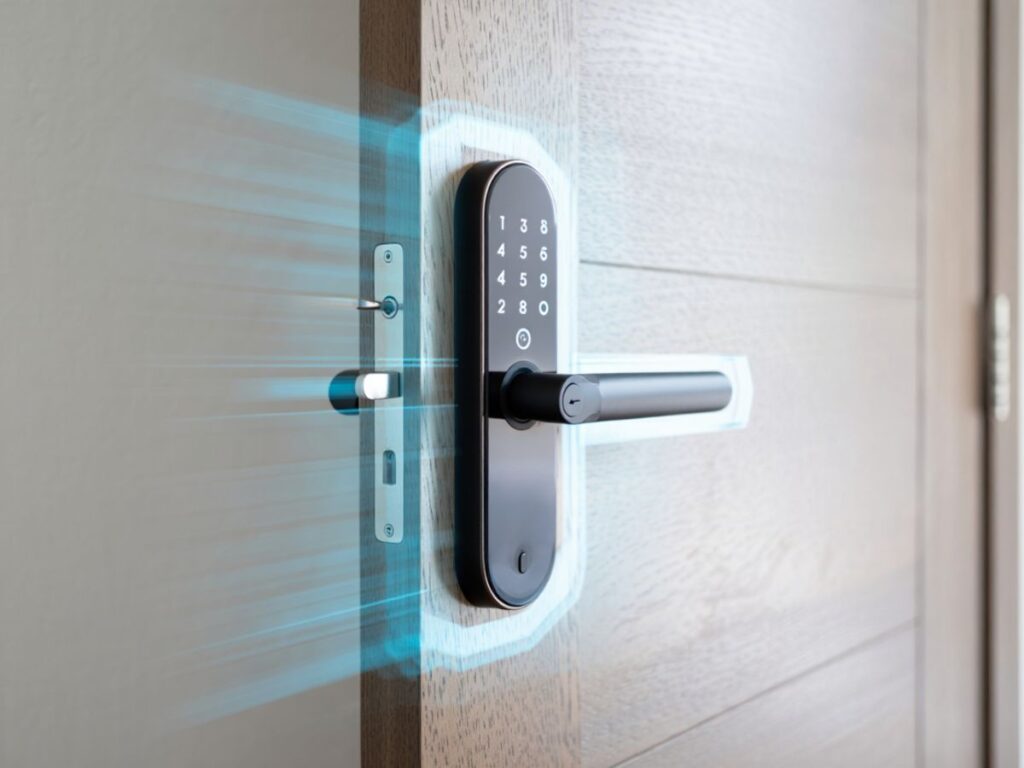
A smart lock is an electronic locking system that allows keyless entry and often remote access through various methods. Entry options typically include smartphone apps via Bluetooth or WiFi, keypads with PIN codes, fingerprint scanners on some models, key fobs or cards, and often a traditional key as backup. The lock contains electronic components including a motorized bolt mechanism, circuit boards and processors, wireless communication modules, and batteries to power everything.
Smart locks connect to your home in different ways. Bluetooth models work within about 30 feet and don’t require internet. WiFi models connect directly to your home network allowing remote access from anywhere. Z-Wave or Zigbee models require a smart home hub but integrate with broader home automation systems. The connection method affects functionality, cost, and complexity.
What you get with a smart lock is keyless entry convenience, ability to lock or unlock remotely if WiFi-enabled, temporary access codes for guests or service providers, entry and exit logs showing who accessed when, and integration with smart home systems. What you don’t get is battery-free operation, complete independence from technology, the simplicity of purely mechanical systems, or freedom from potential electronic failures.
Security Comparison: Which Protects Your Home Better?
Security is the primary purpose of any lock. Both options can provide good security, but they achieve it differently and face different vulnerabilities.
Traditional Lock Security Strengths
A quality traditional deadbolt from a reputable manufacturer offers excellent physical security. The strength comes from solid metal construction using brass or steel bodies with hardened steel bolts, one-inch bolt throw that extends deep into the door frame, anti-drill plates protecting the cylinder, and pick-resistant pin configurations in better locks. These physical barriers resist forced entry attempts effectively when properly installed.
Traditional locks can’t be hacked remotely because there’s no remote access to exploit. No software vulnerabilities exist to be patched. No internet connection can be compromised. The lock works purely through mechanical means, which eliminates entire categories of modern security threats that affect smart locks.
The security level of a traditional lock depends entirely on the quality of the lock itself and the installation. A top-rated ANSI Grade 1 deadbolt installed properly in a solid door and frame provides security that rivals or exceeds most smart locks. The weakest link is often the door or frame rather than the lock mechanism itself.
Traditional Lock Security Weaknesses
Physical key vulnerabilities create risks that smart locks don’t face. Keys can be copied without your knowledge at any hardware store or locksmith. If you lose your keys, you don’t know who might find them and whether they’re labeled with your address. When you give someone a key, you lose control of it—they can make copies or give it to others. There’s no way to track who entered when or to revoke access without rekeying the entire lock.
Lock picking and bumping are real vulnerabilities, though less common than homeowners often fear. A skilled locksmith can pick most traditional locks given time and proper tools. Bump keys can defeat many pin tumbler locks in seconds. While these attacks require skill and the right tools, they’re possible on traditional locks in ways that smart locks with encrypted digital access aren’t vulnerable to.
Smart Lock Security Strengths
Digital access control provides security advantages that traditional locks can’t match. You can create unique access codes for each family member, generate temporary codes for guests that expire automatically, instantly revoke access when someone moves out or a contractor finishes work, and track exactly who entered and when through detailed access logs. This granular control over access is impossible with physical keys.
No physical keys to copy or lose means eliminating several common security vulnerabilities. There’s nothing for someone to steal from your purse or pocket. Nothing to duplicate at a key kiosk. Nothing to fish out of a “hidden” spot under the doormat. For families who frequently lose keys or worry about unauthorized copying, this removes significant security concerns.
Many smart locks include security features that traditional locks can’t offer. Forced entry alarms detect when someone tries to pry or force the door. Auto-lock features ensure doors lock after a set time, eliminating human error of forgetting to lock up. Some models include cameras or integrate with doorbell cameras. Tamper alerts notify you if someone removes or damages the lock.
Smart Lock Security Weaknesses
Electronic vulnerabilities are the flip side of digital features. WiFi-enabled smart locks face potential hacking attempts if not properly secured. Bluetooth connections can potentially be intercepted though the risk is lower. Default PINs that users don’t change create easy access points. Software bugs or vulnerabilities might exist until patched. While manufacturers work to secure their devices, any connected technology introduces risks that purely mechanical locks don’t face.
Power dependency creates a unique vulnerability. Most smart locks use batteries that eventually die. While most provide warnings and backup key access, a dead battery at the wrong moment means you’re locked out until you replace batteries or use the backup key. In extended power outages affecting your entire smart home system, you might lose remote access features entirely.
User error with access codes is surprisingly common. People set PIN codes that are too simple like 1234 or birthdays. They don’t delete old codes when contractors leave or relationships end. They share codes too freely with neighbors or service providers. The flexibility of multiple access codes becomes a vulnerability when not managed properly.
Which Is More Secure?
The honest answer is that both can be equally secure when implemented properly, but they face different threats. A high-quality traditional deadbolt provides excellent physical security and can’t be hacked remotely, but keys can be copied and you can’t track access. A quality smart lock provides excellent access control and audit trails, but introduces electronic vulnerabilities and battery dependency.
Your security priority determines which matters more. If you’re most concerned about digital privacy and hacking, traditional locks eliminate those worries entirely. If you’re most concerned about key control and knowing who accesses your home, smart locks provide features traditional locks simply can’t match.
For maximum security, many homeowners use both—a traditional deadbolt as the primary lock with a smart lock as secondary for convenience, or a smart lock with backup traditional keying for redundancy.
Convenience Comparison: Daily Life Impact
Security matters, but you interact with your locks every single day. Convenience significantly impacts your experience and satisfaction.
Traditional Lock Convenience
The simplicity of traditional locks is both their greatest convenience and their limitation. Operation is straightforward—insert key, turn, done. No learning curve exists. Guests understand immediately how to use them. No batteries to replace or technology to troubleshoot. The lock works the same way every time regardless of weather, power, or internet connectivity.
Physical keys create both convenience and inconvenience. You can give spare keys to family members, trusted neighbors, or emergency contacts easily and inexpensively. Keys work for anyone regardless of age or tech comfort level—your grandmother and your six-year-old can both use the same key. Keys don’t require charging or pairing with devices.
However, keys also mean always having them with you. Forgotten keys mean you’re locked out. Carrying multiple keys for home, work, and car clutters keychains. You need copies made for each family member and spare keys hidden or given to neighbors for emergencies. When you lock keys inside or lose them, you’re calling a locksmith for an expensive emergency unlock or rekey.
Smart Lock Convenience
Keyless entry transforms daily routines for many families. You approach your door with arms full of groceries and unlock with your fingerprint or PIN. You go for a jog without keys jingling in your pocket. Your kids come home from school and use their own PIN codes rather than carrying keys they might lose. For families tired of juggling keys, this convenience is transformative.
Remote access capabilities change how you manage home access. You’re at work when your dog walker texts that they’ve arrived, and you unlock the door from your office. Your teenager gets home early and you check the entry log to confirm they’re safe. A contractor needs access while you’re away and you generate a temporary code that expires after their appointment. Your sister visits from out of town and you unlock the door remotely when she arrives while you’re still 30 minutes away.
Guest access management becomes dramatically easier. Your Airbnb guests receive unique codes that work only during their reservation. Your dog walker gets a code that works Tuesdays and Thursdays from 2-4 PM. Your parents visiting for the week get a code you delete when they leave. No driving across town to deliver keys or coordinating pickup and return.
Smart Lock Inconvenience
Technology dependency means when technology fails, convenience disappears. Batteries die typically after 6-12 months, and if you ignore the low battery warnings, you’re locked out. WiFi or Bluetooth connectivity issues prevent remote features from working. Software glitches occasionally require resets. Smartphone dependency means if your phone dies or you forget it, you might need that backup key after all.
Learning curves vary by user. Tech-savvy families adapt quickly to smart locks. Older family members or those uncomfortable with technology might struggle with apps, PIN codes, or features. You’ll likely need to provide tutorials and support. Some guests freeze when confronted with a keypad rather than a familiar keyhole.
Setup and maintenance require ongoing effort that traditional locks don’t. Initial installation and app setup takes time. You’ll replace batteries once or twice yearly. Software updates occasionally appear requiring attention. If you move to a new phone, you’ll need to reinstall and reconfigure apps. Smart home integrations sometimes break after updates. This ongoing digital housekeeping is minimal for tech enthusiasts but burdensome for others.
Which Is More Convenient?
Your lifestyle determines which convenience factors matter most. If you frequently manage guest access, regularly forget keys, or love smart home automation, smart lock convenience outweighs the technology requirements. If you value simplicity, rarely need to grant access remotely, or don’t want technology dependency, traditional locks provide straightforward reliability.
Consider your household composition too. A family with tech-comfortable teenagers might love smart lock features. A household with elderly residents less comfortable with technology might find traditional locks less frustrating.
Cost Comparison: Initial Investment and Long-Term Expenses
Budget matters when choosing locks for your home. Both upfront costs and long-term expenses factor into the total ownership cost.
Traditional Lock Costs
The initial purchase price for traditional locks is significantly lower than smart locks. A quality residential deadbolt from a reputable brand costs $40-$100 for good quality. Premium security locks run $100-$200. High-security locks reach $200-$300. Even the most expensive traditional residential deadbolt costs less than most mid-range smart locks.
Professional installation by a locksmith typically costs $75-$150 per lock in Houston, though many homeowners install traditional deadbolts themselves with basic tools. Total installed cost for a quality traditional deadbolt runs $125-$250, and you’re done.
Long-term costs are minimal. Traditional locks require no batteries, subscriptions, or technology updates. Occasional rekeying costs $20-$50 per lock if needed when you move in or after losing keys. Lubricant costs a few dollars every few years. A quality deadbolt can last 10-20+ years with minimal maintenance expense.
Smart Lock Costs
Initial purchase prices vary widely based on features. Basic keypad-only models cost $150-$250. Mid-range models with Bluetooth and keypad cost $200-$300. WiFi-enabled models with remote access cost $250-$400. Premium models with fingerprint readers, cameras, or advanced features cost $300-$600.
Installation costs depend on your lock choice and comfort level. Battery-powered smart locks replacing standard deadbolts are often DIY-friendly. Hardwired smart locks requiring electrical work need professional installation. Professional installation costs $100-$200 if needed. Total initial investment ranges from $150 for DIY basic models to $600-$800 for premium professionally installed systems.
Ongoing costs add up over time. Batteries need replacement 1-2 times per year at $5-$15 per battery change. Some advanced features require monthly subscriptions at $3-$10 per month. Cloud storage for camera-equipped locks costs $5-$15 monthly. Technology replacement happens faster than traditional locks—smart locks may need replacement every 5-10 years as technology advances or support ends.
Total Cost of Ownership Comparison
Over a 10-year period, compare the total costs. A traditional lock costs roughly $150 initial purchase and installation plus minimal ongoing costs totaling perhaps $200 over 10 years. A smart lock costs roughly $300-$500 initially, plus $50-$200 annually for batteries and potential subscriptions totaling $800-$2,500 over 10 years depending on features and subscription needs.
The cost difference is substantial and ongoing. Smart locks cost 4-12 times more over a decade than traditional locks. Whether the convenience and features justify this cost depends entirely on your priorities and how much value you derive from smart features.
Reliability and Maintenance: What Can Go Wrong
Understanding potential problems and maintenance needs helps set realistic expectations.
Traditional Lock Reliability
Mechanical simplicity means fewer potential failure points. A quality traditional deadbolt has no electronics to fail, no batteries to die, no software to glitch, and no wireless connectivity to troubleshoot. The lock works through purely mechanical means that have been refined over decades.
When traditional locks fail, it’s typically due to physical wear or damage. Cylinders wear out over decades of use. Keys wear down or break. Bolts stick due to lack of lubrication. Doors settle causing misalignment. These problems are usually fixable by locksmiths and often preventable through minimal maintenance.
Maintenance requirements are minimal. Annual lubrication with graphite or silicone spray keeps mechanisms moving smoothly. Checking alignment ensures bolts engage properly. Occasional tightening of mounting screws prevents loosening. This takes minutes per year, requires no special skills, and costs virtually nothing.
Expected lifespan for quality traditional locks is 15-30 years with proper maintenance. Many older homes still have functional deadbolts installed decades ago. The lock itself outlasts most other components of your home.
Smart Lock Reliability
Electronic complexity introduces multiple potential failure points. Batteries die, motors wear out, circuit boards fail, wireless connections drop, software glitches occur, and apps crash or become incompatible with phone updates. Any of these can prevent your lock from working properly.
Common smart lock problems include battery death despite warnings, Bluetooth pairing issues, WiFi connectivity problems, PIN codes not working after updates, motors jamming or moving slowly in extreme cold, and smartphone app crashes or compatibility issues. Most issues are solvable with troubleshooting, but they require technology skills and time.
Maintenance requirements are more demanding than traditional locks. You must monitor and replace batteries proactively, install software updates when prompted, troubleshoot connectivity issues occasionally, ensure smartphone apps stay updated, and potentially reset locks after phone changes or system updates. This digital maintenance takes time and technical comfort.
Expected lifespan is shorter and less certain than traditional locks. The electronics might last 5-10 years before failure. The company might discontinue support or cloud services earlier. Technology advances might make your lock obsolete while still functional. Plan on replacing smart locks more frequently than traditional ones.
Weather and Environmental Factors
Houston’s climate affects both lock types differently. Traditional locks handle Houston humidity and heat well, though metal components can corrode without occasional lubrication. Extreme temperature swings are a non-issue for mechanical locks.
Smart locks face more environmental challenges. Electronics are more sensitive to extreme heat and humidity. Batteries drain faster in temperature extremes. Some smart locks struggle in Houston’s occasional near-freezing temperatures when motors move more slowly. Outdoor-exposed smart locks need weather ratings suitable for Houston conditions.
Installation and Setup: Getting Started
How you install and set up your locks affects both initial experience and long-term use.
Traditional Lock Installation
Installation is straightforward for anyone with basic DIY skills. You need a drill, hole saw, screwdriver, chisel, and measuring tape. Pre-packaged deadbolt kits include templates and detailed instructions. The process involves marking locations, drilling holes for the cylinder and bolt, chiseling the bolt plate recess if needed, and securing the lock with screws. Most homeowners complete installation in 30-60 minutes per door.
Professional installation by a locksmith costs $75-$150 per lock in Houston but ensures perfect alignment, proper strike plate installation for maximum security, and expert assessment of door and frame condition. For those uncomfortable with tools or wanting guaranteed proper installation, professional installation provides peace of mind.
No setup or configuration is needed beyond installation. The lock works immediately after physical installation. No apps to download, accounts to create, or networks to connect to. Hand out keys to family members and you’re done.
Smart Lock Installation
Physical installation ranges from simple to complex depending on the model. Battery-powered retrofit models designed to replace standard deadbolts install similarly to traditional locks with basic tools. Hardwired models requiring electrical connection need either electrical skills or professional installation. Some models require precise alignment for motors to work properly.
Digital setup adds complexity beyond physical installation. You must download manufacturer apps, create accounts with email and password, pair locks with your smartphone via Bluetooth or connect to WiFi networks, configure access codes and settings, and potentially integrate with smart home systems. This digital setup takes 20-60 minutes depending on features and your technical comfort.
Ongoing configuration management includes creating and deleting user codes, setting schedules for temporary access, managing notifications and alerts, updating software when prompted, and potentially troubleshooting when connectivity issues arise. This ongoing digital maintenance is part of smart lock ownership.
Integration with Smart Home Systems
If you’re building a smart home ecosystem, lock compatibility matters significantly.
Traditional Locks and Home Automation
Traditional locks don’t integrate with smart home systems directly because they’re purely mechanical. You can’t unlock them with voice commands, include them in automation routines, or monitor their status through apps. They exist completely separate from your digital home ecosystem.
However, you can add smart features to traditional locks through external devices. Smart deadbolt adapters mechanically attach to existing deadbolts and motorize them. Smart door sensors detect when doors open or close. Security systems can monitor door status separately from lock control. These workarounds add smart features while maintaining mechanical lock security.
Smart Locks and Home Automation
Native integration with smart home platforms is a major smart lock advantage. Many smart locks work with Amazon Alexa, Google Assistant, Apple HomeKit, Samsung SmartThings, and other platforms. You can unlock your door with voice commands when your hands are full, include lock status in automation routines like “goodnight” scenes that lock all doors, receive notifications when specific people arrive home, and automatically turn on lights when doors unlock.
Automation possibilities expand significantly with smart locks. Your lock can trigger other smart devices—unlock the door and lights turn on, the thermostat adjusts, and music starts playing. Geofencing can automatically lock doors when everyone leaves. Security cameras can start recording when unexpected unlock events occur. The lock becomes part of an integrated smart home system rather than a standalone device.
However, integration requires compatible platforms and often adds cost. Not all smart locks work with all platforms. Some features require specific smart home hubs. Cloud services that enable advanced automation often require subscriptions. The more integrated your system, the more complex setup and troubleshooting become.
Making Your Decision: Which Lock Fits Your Life?
The right choice depends on your specific needs, priorities, and lifestyle rather than which lock is objectively “better.”
Choose Traditional Locks If You…
Value simplicity above convenience. If you prefer things that just work without technology, traditional locks provide that straightforward reliability. There’s no learning curve, no battery anxiety, and no app troubleshooting.
Want the lowest total cost of ownership. Traditional locks cost a fraction of smart locks initially and have minimal ongoing costs. Over 10 years, you’ll save hundreds or thousands of dollars depending on how many doors you’re securing.
Rarely need to grant temporary access. If you’re not managing contractors, guests, or service providers regularly, the access control features of smart locks don’t provide much value. A spare key under the mat or with a neighbor works fine.
Prioritize privacy and digital security. Traditional locks can’t be hacked remotely because there’s nothing digital to compromise. If you’re concerned about internet-connected devices or digital vulnerabilities, mechanical locks eliminate those concerns entirely.
Don’t want technology dependency. If smartphone batteries dying, WiFi dropping, or apps crashing would frustrate you more than occasionally forgetting your keys, traditional locks remove that frustration.
Choose Smart Locks If You…
Frequently manage guest or contractor access. If you run an Airbnb, have regular service providers, or often have family visiting, smart locks dramatically simplify access management. Temporary codes beat coordinating key handoffs.
Love smart home integration. If you’re building a connected home with voice assistants, automated routines, and integrated devices, smart locks complete the ecosystem. The ability to include door locks in scenes and automation adds significant value.
Often forget or lose keys. If you regularly lock yourself out, leave keys in other pants pockets, or lose them entirely, keyless entry eliminates that frustration. The convenience of PIN codes or fingerprints is worth the cost and complexity.
Want detailed access tracking. If knowing exactly when family members come and go matters for security or peace of mind, smart lock logs provide that information. Traditional locks offer no visibility into who accessed when.
Value convenience over simplicity. If you’re comfortable with technology and willing to manage batteries and apps in exchange for keyless entry and remote access, smart locks deliver meaningful convenience improvements.
Hybrid Approaches
You don’t have to choose just one lock type for your entire home. Many Houston homeowners use smart locks on main entries for convenience while keeping traditional locks on back doors or garages for simplicity. This provides smart features where they add most value while maintaining traditional reliability elsewhere.
Another hybrid approach uses smart locks as secondary convenience locks with traditional deadbolts as primary security. The traditional deadbolt provides core security without technology dependency while the smart lock adds keyless entry convenience. If the smart lock fails, you still have the deadbolt.
Professional Installation and Support from CJS Locksmith
Whether you choose traditional locks, smart locks, or a combination, professional installation ensures proper setup and optimal security.
Traditional Lock Installation Services
CJS Locksmith provides expert traditional lock installation throughout Houston. Professional installation ensures proper alignment for smooth operation, correct strike plate installation for maximum security, assessment of door and frame condition for security weaknesses, and expert hardware recommendations based on your specific doors and security needs.
The experience includes honest assessment of whether your existing doors and frames support high-security locks, recommendations for reinforcement if needed, proper installation following manufacturer specifications, and testing to ensure smooth, reliable operation.
Smart Lock Installation and Setup
CJS Locksmith offers smart lock installation and setup services for Houston homeowners wanting professional expertise. This includes physical installation ensuring proper alignment for motorized operation, complete digital setup including app configuration and WiFi connection, creating initial access codes for family members, and providing tutorials on using and managing your new smart lock.
Professional smart lock installation is particularly valuable when replacing traditional locks with smart versions, troubleshooting compatibility with existing doors, ensuring weather-appropriate installation for Houston climate, and integrating with existing smart home systems if needed.
Ongoing Lock Service and Support
CJS Locksmith provides ongoing support for both traditional and smart locks. Services include rekeying traditional locks when needed, troubleshooting smart lock connectivity or functionality issues, battery replacement services for smart locks, and security assessments to ensure your locks provide optimal protection.
Whether you’re choosing your first smart lock, upgrading from traditional to smart, or maintaining existing locks of either type, CJS Locksmith’s experience with both technologies helps Houston homeowners make informed decisions and maintain secure, functional home access.
Contact CJS Locksmith
Residential Locksmith Services
Commercial Locksmith Services
Emergency Locksmith Services
Contact CJS Locksmith
FAQ
Professional locksmith services in Houston. CJS Locksmith—expert installation and support for traditional locks, smart locks, and hybrid security systems.
Frequently Asked Questions
Are smart locks more secure than traditional locks? Neither is inherently more secure—both can provide excellent security when properly implemented. Smart locks offer better access control and tracking but face electronic vulnerabilities. Traditional locks can’t be hacked remotely but keys can be copied. Security depends on lock quality and proper use of either type.
What happens if smart lock batteries die? Most smart locks provide low battery warnings weeks before complete death. When batteries die, you typically use the backup physical key included with most smart locks. Some models also have emergency power terminals where you can connect a 9V battery to temporarily power the lock.
Can smart locks be hacked? WiFi-enabled smart locks face potential hacking risks if not properly secured, though actual hacking incidents are rare with quality locks. Use strong, unique passwords, enable two-factor authentication when available, keep software updated, and choose locks from reputable manufacturers with good security track records.
How long do smart lock batteries last? Most smart locks run 6-12 months on batteries depending on usage frequency, whether the lock has WiFi (drains faster than Bluetooth), temperature extremes (drain batteries faster), and battery quality. The lock warns you when batteries run low.
Can I install a smart lock myself? Many battery-powered smart locks are DIY-friendly for those comfortable with basic tools. If you can install a traditional deadbolt, you can likely install a retrofit smart lock. Hardwired smart locks requiring electrical connections should be professionally installed unless you have electrical experience.
Do smart locks work during power outages? Yes, battery-powered smart locks continue working during power outages since they run on batteries, not household electricity. WiFi-enabled features requiring internet won’t work if your router is down, but physical operation and PIN codes continue functioning.
Choosing the Right Lock for Your Houston Home
The choice between smart locks and traditional locks isn’t about which is objectively better—it’s about which fits your lifestyle, priorities, and home security needs. Traditional locks provide simple, reliable, low-cost security without technology dependency. Smart locks offer convenient keyless access, remote control, and detailed access management at higher cost and with technology requirements.
CJS Locksmith helps Houston homeowners navigate lock choices with expert installation, honest recommendations, and ongoing support for both traditional and smart security solutions.
Contact CJS Locksmith for Houston Lock Services
Residential Locksmith Services
Commercial Locksmith Services
Emergency Locksmith Services
Automotive Locksmith Services
Contact CJS Locksmith
FAQ
Professional locksmith in Houston. CJS Locksmith—helping homeowners choose and install the right locks for their security needs.Need other locksmith services? CJS provides emergency locksmith, automotive locksmith, and commercial locksmith services throughout Houston.